 |  |  |  |
|---|
 Comments, Questions, Suggestions, or Opinions Tutorials Lesson:
Exercises For every lesson:
My accounts:    
|

 Writing HTML Using Notepad or TextEditHTML can be edited by using a professional HTML editor like:
However, for learning HTML we recommend a text editor like Notepad (PC) or TextEdit (Mac). We believe using a simple text editor is a good way to learn HTML. Follow the 4 steps below to create your first web page with Notepad.
Step 1: Start NotepadTo start Notepad go to: Start
Step 2: Edit Your HTML with NotepadType your HTML code into your Notepad:
Step 3: Save Your HTMLSelect Save as.. in Notepad's file menu. When you save an HTML file, you can use either the .htm or the .html file extension. There is no difference, it is entirely up to you. Save the file in a folder that is easy to remember, like w3schools.
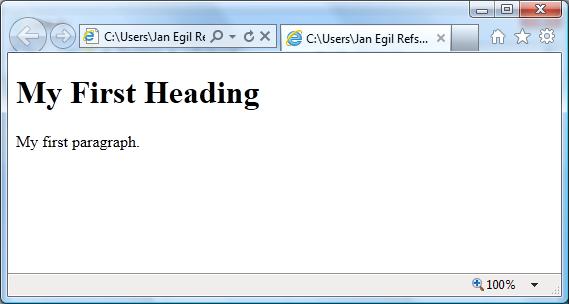
Step 4: Run the HTML in Your BrowserStart your web browser and open your html file from the File, Open menu, or just browse the folder and double-click your HTML file. The result should look much like this:
Click here to take the exercises of this lesson --> 
|