 |
|
|
|
|
|
|
|
|
|
|
|
|
|
|
|
|
|
|
|
|
|
|
|
|
|
|
|
|
|
|
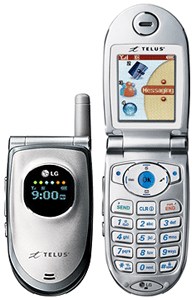
How to Upload and change your wallpapers and Ringtones for the LG vx 4600 cell phone! |
|
|
|
 |
|
|
Page 5 |
|
|
|
|
|
 |
|
|
|
Walkthrough |
|
|
|
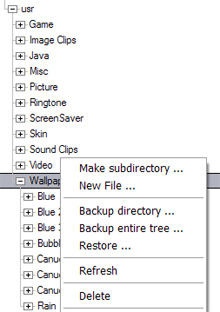
9.] Almost done! Go back into Bitpim, right click on the folder with the picture you just uploaded and choose "new file", and then upload the .desc. The turn off your cellphone, turn it back on again... and Voila! |
|
|
|
 |
|
|
Ringtones |
|
|
|
|
|
The method of uploading a custom ringtone is the exact same, except that now you are creating the folders, uploading the images, and the .desc files in the "Ringtone" folder.
Don't forget to also change the extensions from jpg/png to mp3 or mid as per the sound you have uploaded!
For mp3 files, it is best to keep them under 30 seconds. Don't worry bout the quality, this isn't a high-fidelity speaker! |
|
|
|
|
|
|
 |
|
|
|
Special thanks go out to the following:
www.howardforums.com
www.yahoo.com
www.geocities.com
http://members.shaw.ca/lg5450/wallpapers.html (for those that have the LG5450 phone this site is great!) |
|
|
|

|
|
|
|
|
|
|
 |
|
|
|
 |
|
|
|
|
|
 |
|
|
[email protected] |
|
|
|
|