| How to Upload and change your wallpapers and Ringtones for the LG vx 4600 cell phone! | ||||||||||||||||||||||||||||||
![]() |
||||||||||||||||||||||||||||||
| To start off, here is a list of programs that you need to download and then install! Then you can go onto the actual walkthrough! | ||||||||||||||||||||||||||||||
| Products Needed | ||||||||||||||||||||||||||||||
![]() |
||||||||||||||||||||||||||||||
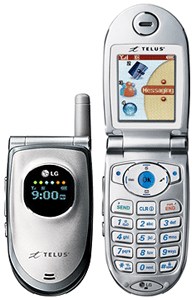
| LG vx4600 cellphone LG vx4600 data cable: Similar to this one that I've gotten and it works fine. Click the phone icon to see it. ------> |
||||||||||||||||||||||||||||||
| Programs Required | ||||||||||||||||||||||||||||||
![]() |
||||||||||||||||||||||||||||||
| Bitpim: This is the main software I used in the transfering of data. Click the phone icon to get it. -----> Hackman: A hex editor needed to access/edit the wallpapers and graphics. Click the phone icon to get it. -----> Hexadecimal Converter: You need it to hack the phone, and upload the proper image/sound. Click the phone icon to get it. -----> A descriptor file. [ .desc ] Click the phone icon to get it. -----> A calculator. Your pc's regular basic one is more than enough! |

||||||||||||||||||||||||||||||
![]() |
||||||||||||||||||||||||||||||
![]() |
||||||||||||||||||||||||||||||
| [email protected] | ||||||||||||||||||||||||||||||