 |
|
|
|
|
|
|
|
|
|
|
|
|
|
|
|
|
|
|
|
|
|
Puzzle Box |
|
|
| You can scan a studio cube box or just download blank3xbox.zip since I already did that for you. If you don't have Photoshop, you would probably have to open the .jpg with Paint or some other program you have/prefer. |
|
|
|
Download blank3xbox.zip |
|
|
|
Contains blank box template in both .psd and .jpg |
|
|
|
Get creative here, I don't know what else I can tell you about this part.
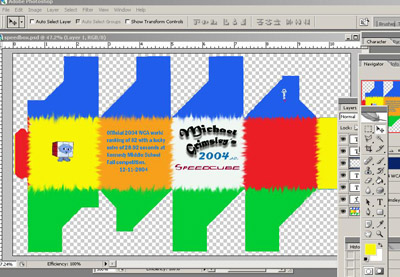
Here is a design I made using the .psd in the zip file above. |
|
|
|
 |
|
|
|
Once you get the design you want, make sure you save it;). Next you have to either save it to a disc and take it to a place that will print it for you or print it yourself.
Load the photopaper and print, don't forget to check the landscape orientation so that it doesn't print sideways. It may mention that some clipping will occour, let it. Do not let it resize the image or your cube wont fit inside of your box.
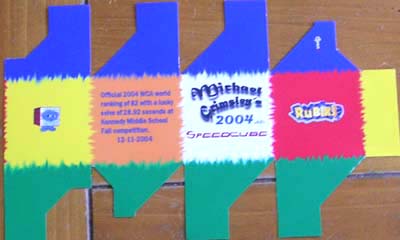
After printing it out, spray a couple of coats of clearcoat over the design per the manufacturers directions. After the clearcoat dries, cut the box from the rest of the photopaper. |
|
|
|
 |
|
|
|
Previous |
|
|
|
Next |
|
|
|