 |
|
| Spray Tutorial 0.01 |
| Part 1. What is a spray? |
| A spray is a picture that which can be "sprayed" into a HL game. |
| Part 2. The first step |
| There are two things that I use to make colored sprays. First you will need a program like Microsoft Paint, where you can format, and fix colors for your spray. Second you will need Wally. Wally is a program that converts your picture into .wad format. The wad will in turn your picture in the game. |
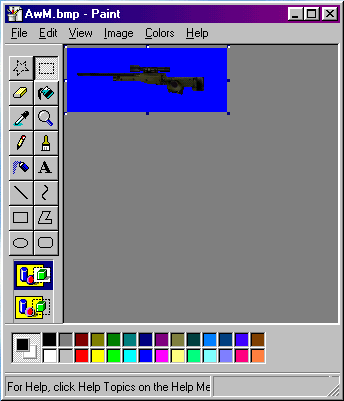
| First you will need a picture. Try not to get full-page pictures, because there are certain limits a spray must be in (See below). Once you have found picture you want a spray, paste it into Microsoft Paint. |
| I picked a picture of the AWM. The background can be any color, but 255 Blue. That color is read by HL as a transparent color, unless you want it transparent. |
 |
| Part 3. The Picture. |
| Part 4 Sizing the picture up. |
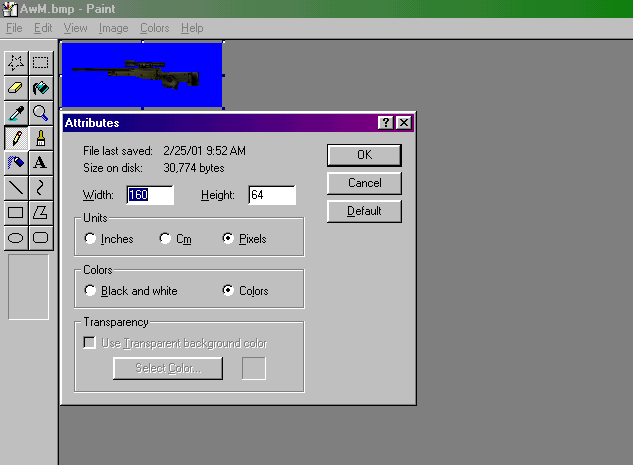 |
| Now there is a 15K limit to sprays, which means only certain heights and widths may be used. Common sprays are 128 x 64 or 64 x 128. Though my favorite spray is 160 x 64 or 64 x 160. As you can see below, the picture is 160 by 64. That would be about 14.7K, just enough to fit as spray. |
| Part 5. Copying into Wally |
| Now just take the picture and paste it into Wally. If it says: |
| That means that your # by # is not divisible by 16. Wally uses certain numbers as textures, so you must have it divisible by 16. |
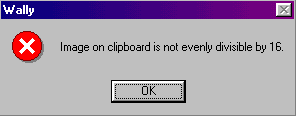 |
| Like 128 x 64 is divisible, but 122 x 70 is not. |
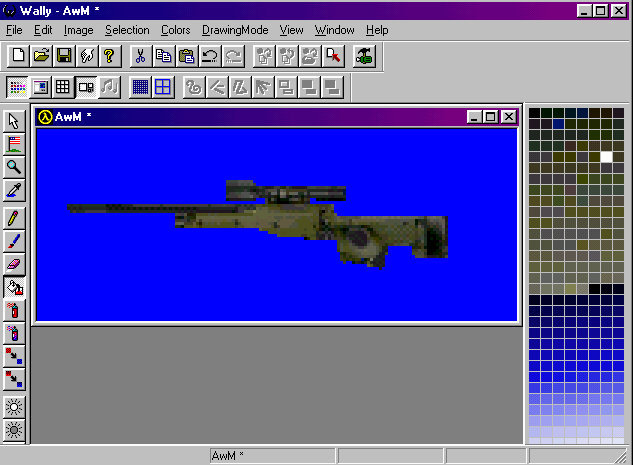
| Here is what it looks like in Wally after I copied and pasted it. It kind of looks like paint, but you can screw up you picture if you hit the wrong button. |
| Tip: Do most of the color changes in Paint, it much easier to start in paint, and finish in Wally. |
 |
| Part 6. The 255 Blue |
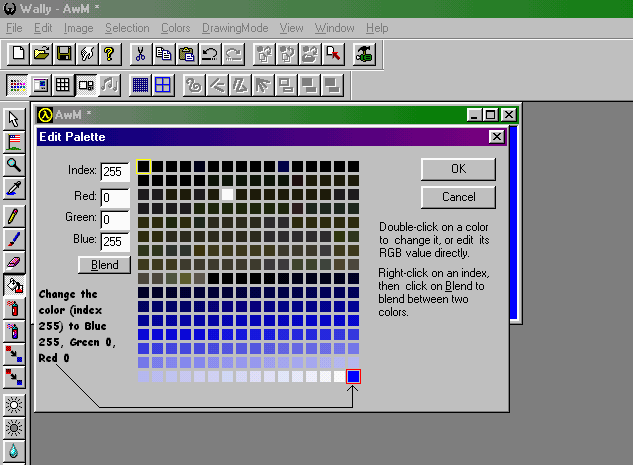
| Now for sprays to work right you must change the last color (index 255) to 255 blue. As you can see from the picture it may look confusing, but it is simple. |
 |
| Part 7. Saving and spraying |
| Now once your done save the spray. I suggest making a backup copy, one like the name AwM (To let me know what it is) then save it in to the Valve Folder or Cs Folder. Or any other game folder as a pldecal.wad. This is what the game uses to spray your picture into the game map. You must replace the last one before it to work. (Don't worry, if you want the original sprays back just go into the customize screen in the game.Note: It will delete the spray if you do though!) |
| Part 8. Sprayin in the game |
| Cl_allowdownload 1 |
| Then you should press the spray button, if it shows the HL symbol that's ok, unless after the third time. That could mean your spray is past 15K, or that the sever is blocking all sprays. If you want to test them first, try it out in a lan game by yourself. It should work atuomatically when you press t. |
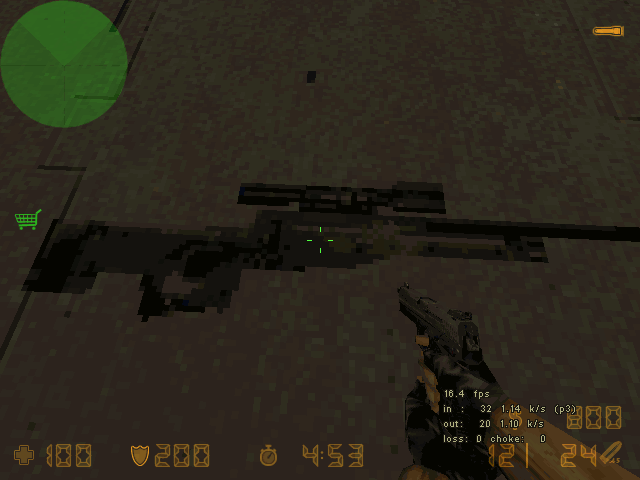
| Here my AwM in the game. |
 |
| Part 9. Links: |
| Sprayin Foolz: http://www.geocities.com/silver8fox/main.html |
| Check for all your sprayin needz. |
| What every sprayer wants. |
| Need help? E-Mail Sprayin Foolz |
| If you have any suggestions to put in the next update of this tutorial, just e-mail me. I just like to thank you for taking the time to read this, and I hoped it helped you find what you were looking for. |
| This tutorial was made by: Mark 2001 |
| Cl_allowupload 1 |
 |
|
|
|
|
| Sprayin Toolz: |
| Sprayin Sprayz: |
| Sprayin Imputz: |
|
|
|
| Want this so you can use it off line? Well here you go: |
| In the game press "~" to get the console open, and type: |
|
|
|
|
|