|
This is a little more complicated.
Click the Start Button
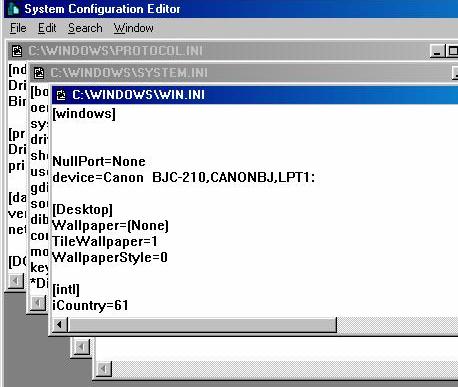
Select win.ini
On my system vi_grm is my display properties loader,
So I edit it,
Select Save from the file menu.
Reboot your PC and check all is well.
Barocca |
|
This is a little more complicated.
Click the Start Button
Select win.ini
On my system vi_grm is my display properties loader,
So I edit it,
Select Save from the file menu.
Reboot your PC and check all is well.
Barocca |