 |
    |
|
|||||
|
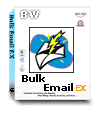 

($29.95) |
 What can EX Mailing List Manager do ? I can't
import my mailing lists. Why? How to
use EX Mailing List Manager? What's
the difference between the Trial Version and the Registered Version? How to
register EX Mailing List Manager? How long does it take for me to get
my registration code? Is it
safe to pay via internet? Can I protect my privacy?
What can EX Mailing List Manager do ? I can't
import my mailing lists. Why? How to
use EX Mailing List Manager? What's
the difference between the Trial Version and the Registered Version? How to
register EX Mailing List Manager? How long does it take for me to get
my registration code? Is it
safe to pay via internet? Can I protect my privacy?  What
can EX Mailing List Manager do ? What
can EX Mailing List Manager do ? EX Mailing List Manager is designed to manage email address files conveniently. It coworks well to send customerized emails with Bulk Email EX provided by Marketing Software Group.
I can't import my mailing lists. Why?EX Mailing List Manager can import email addresses from .txt files, .csv files(comma separated values), and .exm files( the file format for EX Mailing List Manager itself). Your file may not accord with this format. You'd better revise the format of your mailing lists before you import.
How to use EX Mailing List Manager ?EX Mailing List Manager can import email address from .txt files, .csv files, .exm files and compose them into one list. It will fill in some default information for .txt files and .csv files since they are not as complete as .exm files. The default information for the team members is as follow: ------------------------------------------------------------ team member: default value if the value is empty ------------------------------------------------------------ contact name the account part of email email (this value can' be empty) account the account part of email domain the domain part of email group the file name ------------------------------------------------------------  What's
the difference between the Trial Version and the Registered Version? What's
the difference between the Trial Version and the Registered Version?The Trial Version can only export 100 emails, while the registered version supports multithreads, unlimited mailing lists. In addition, you will enjoy free technical support & updates for life time. How
to register EX Mailing List Manager? How long does it take for me to get
my registration code?The registration fee is $40.00. We'll start a promotion of one week when a new version comes out. The promotion-price is $29.95. Please click here to see whether is on promotion. Your order will be verified within 24 hours. We will send the registration code to you by email. Is
it safe to pay via internet? Can I protect my privacy?Yes. We provide the latest encryption technology of 128 bit. Safety & privacy are guaranteed.  If you have other questions,please write
to us!
If you have other questions,please write
to us! |
