
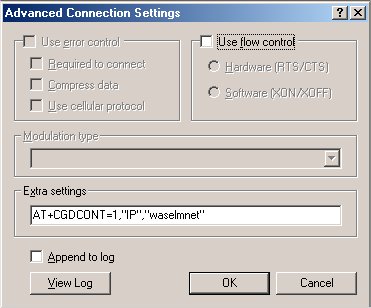
AT+CGDCONT=1,"IP","mnet"
OR
AT+CGDCONT=1,"IP","waselmnet"
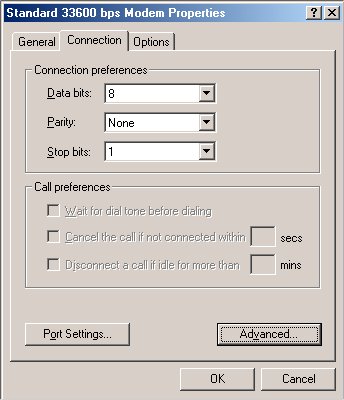
Click OK thrice, and you are done.
You can now connect your PC using WM application on your Qtek 1010 to the internet over GPRS. Run the application WM on Qtek, and click "Connect" on the PC Dial-Up only when the infrared connection is established.
The extra settings for the modem were taken from O2 XDA website with suitable changes for Etisalat MNET service.


Qtek
Back