
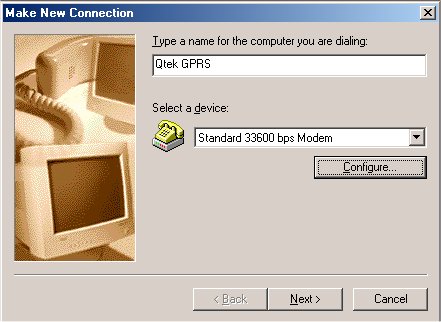
Click Start -> Settings -> Dial Up Networking
Double Click Make New Connection
Type Name for the connection
Qtek GPRS (or any)
Select a device:
Standard 33600 bps Modem
Click Next >
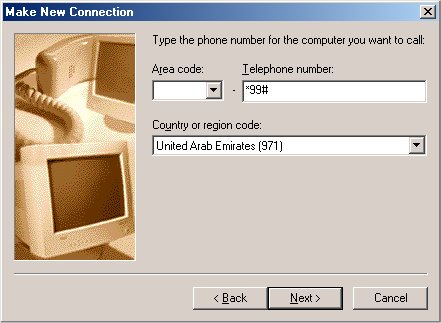
Type the phone number:
*99# (for gprs connection)
Contry or region code
United Arab Emirates
Main
Qtek
Back