|
Gertie The Garden Gal
For this tutorial you will need my selection files which can be found here. The hair and eye tube can be gotten here
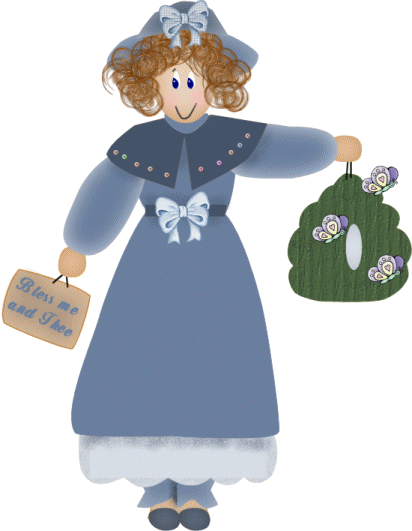
Open a new image 650 X 750 (you can re-size when were done) Add a new layer named feet, Selections load from disk feet.sel. Flood fill with EACDAF, selections invert, Effects 3D Drop Shadow with these settings- Vertical and Horizontal 0 Opacity 100 Blur 42 Color D4A77A Select none. Add a new layer pants, load pants.sel Flood Fill with D7DDE5, or your own colors. Selections invert, effects 3d Drop Shadow with the same settings, but change your color to 445368, select none. Add another new layer (we will be adding lots of these ~s~) name it slip selections load from disk slip.sel. Flood Fill with D7DDE5, selections invert, apply the same drop shadow as last step, selections select none. Layers new named sign, selections load from disk sign.sel, flood fill with D7DDE5, selections invert, apply drop shadow using 445368, selections none. Layers new named left hand , selections load from disk lefthand.sel, flood fill with EACDAF, selections invert, apply same drop shadow, using D4A77A as your shadow color, select none. Repeat these same steps for the right hand. Layers new named bird nest, selections load from disk birdnest.sel, flood fill with your choice of colors, selections invert, apply the same drop shadow using black or a shade that is at least 2 hades darker than your color, select none. Now choose your selection tool set to elipse and draw a small opening in the middle of your nest, then hit the delete key, this will give you a small opening. Now selections invert , effects 3D drop shadow, and give it a drop shadow with black as your color. Layers new named hat brim, selections load from disk hatbrim.sel, flood fill with 445368, selections invert, apply drop shadow using D7DDE5, select none. New Layer named Head , selections load from disk head.sel, flood fill with EACDAF, selections invert, apply drop shadow using D4A77A as your color, select none. Layers new named Neck, selections load from disk, neck.sel, flood fill with D7DDE5, selections invert, apply same drop shadow with 445368 as your shadow color, de-select. OK, add another new layer named Dress, load dress.sel, flood fill with 6B809E, selections invert, apply same drop shadow as above, de-select. OK, time for a break, when ready just hit next! 
|