Learn to Browse by Subjects
If you want to find information on a specific topic like animals, science, or sports, follow the steps below. We will use a real example, which will be sharks.
- Look for the picture above on the Kids InfoBits homepage. Then click the animal picture.
- There are eight animal topics to pick from. What do you think would be the best topic to find information on Sharks?
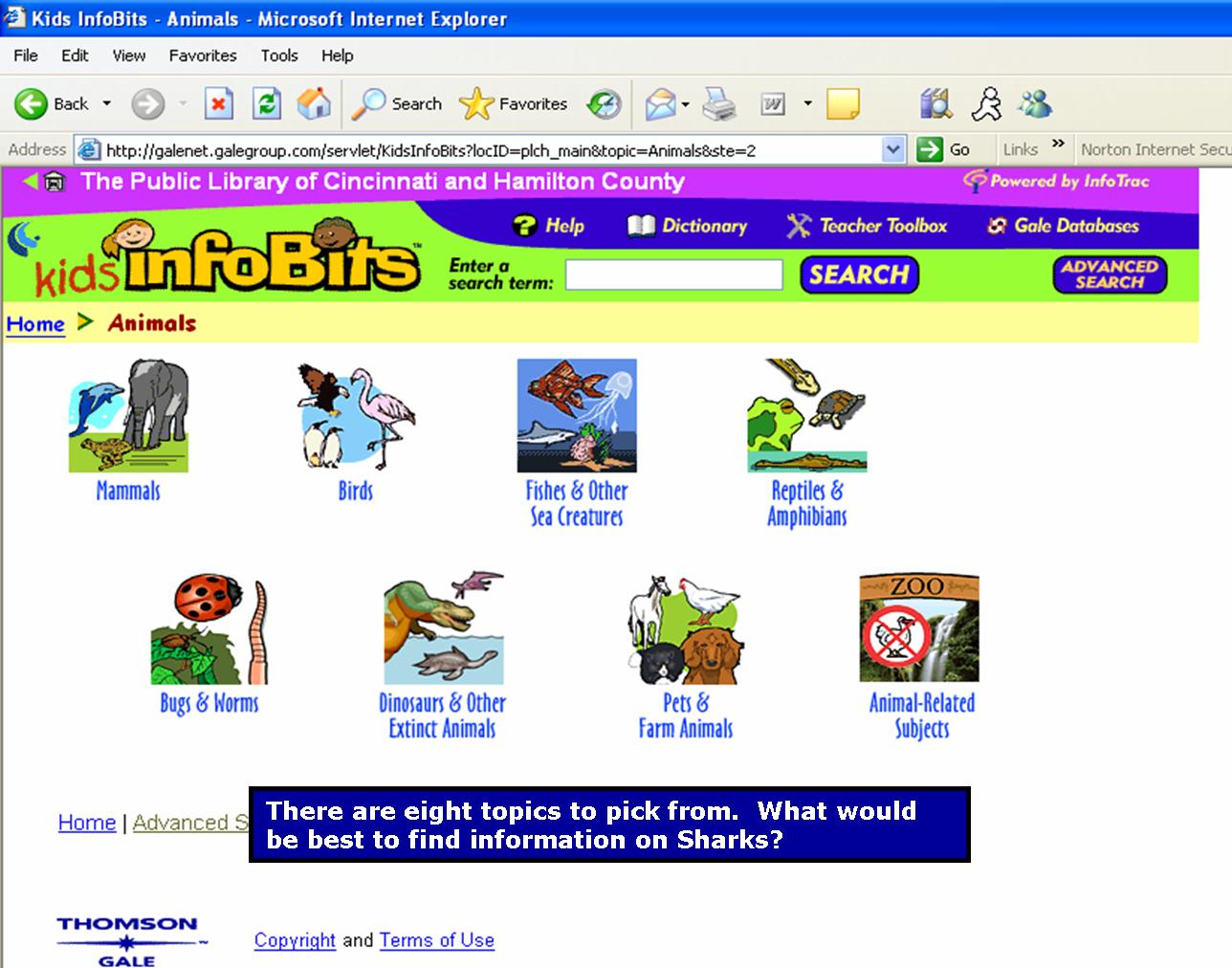
- Click the "Fish and Other Sea Creatures" topic.
- There will be a list of animals to choose from. One of these items will be "Sharks."
- Click the "sharks" link. Then the results will appear. An example of this is below:
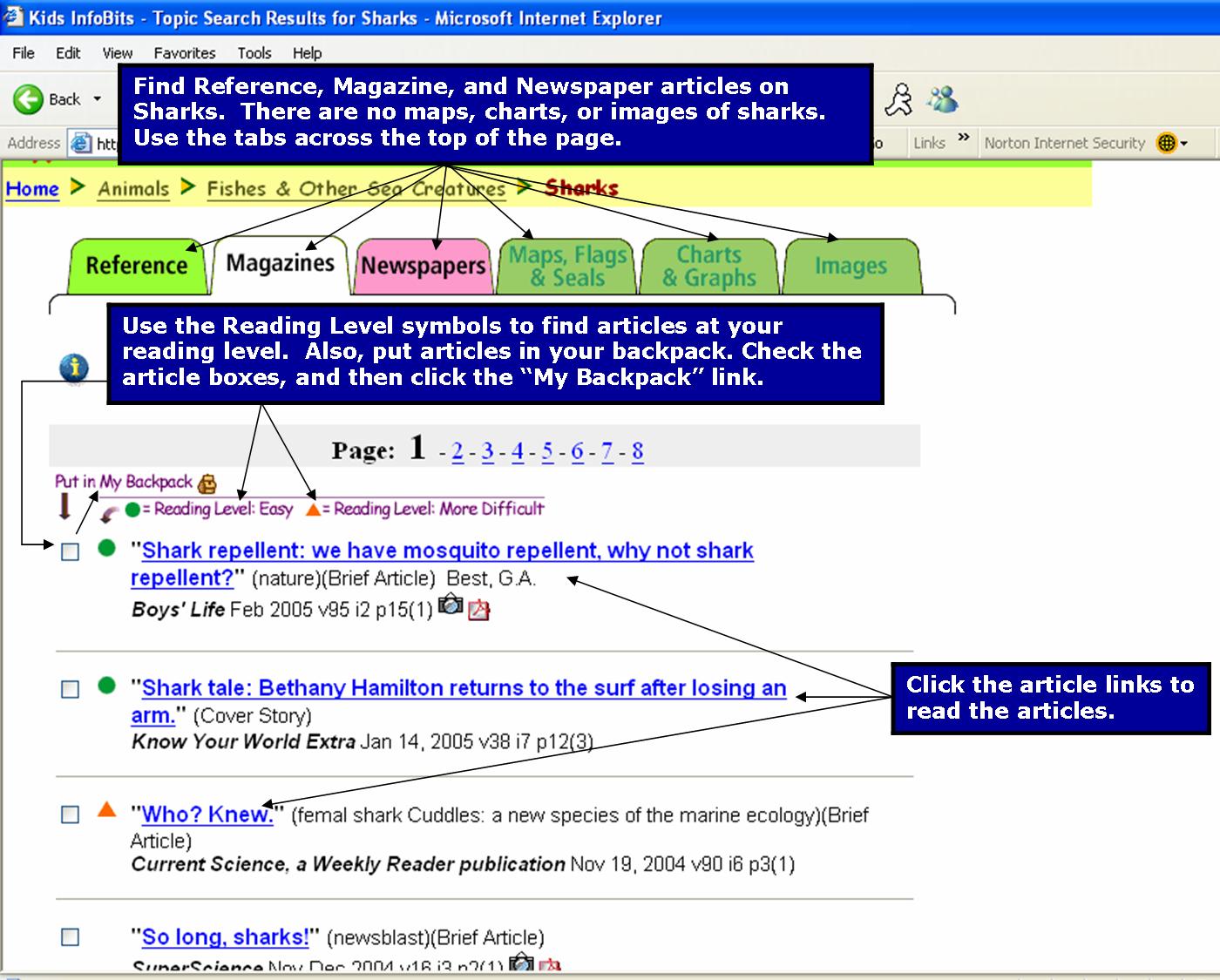
- Use the tabs across the top of the webpage. Find Reference, Magazine, Newspapers, Maps, Flags, Charts, Graphs, and Images about specific topics, places, or people. Kids InfoBits only has reference, magazine, and newspapers articles on sharks.
- Find articles that have different reading levels. A green circle is an article written at an easy reading level. An orange triangle is an article written at a harder reading level.
- Use the "Put in My Backpack." If you want, check the article boxes and then click the "Put in My Backpack" link. It will save your articles, which you can print a list of or email to yourself.
- Click any of the blue links to read or look at articles.
- Return to the Home Page

Created By: Victoria Rowekamp
Last updated: March 28, 2005


