How to use the Dictionary
The dictionary symbol looks like this  . It is at the top of the Kids InfoBits homepage.
Use the following steps learn how to use the dictionary
- Click the Dictionary symbol.
- Type the word you do not know into the white box. Then click search. The screen will look like this:
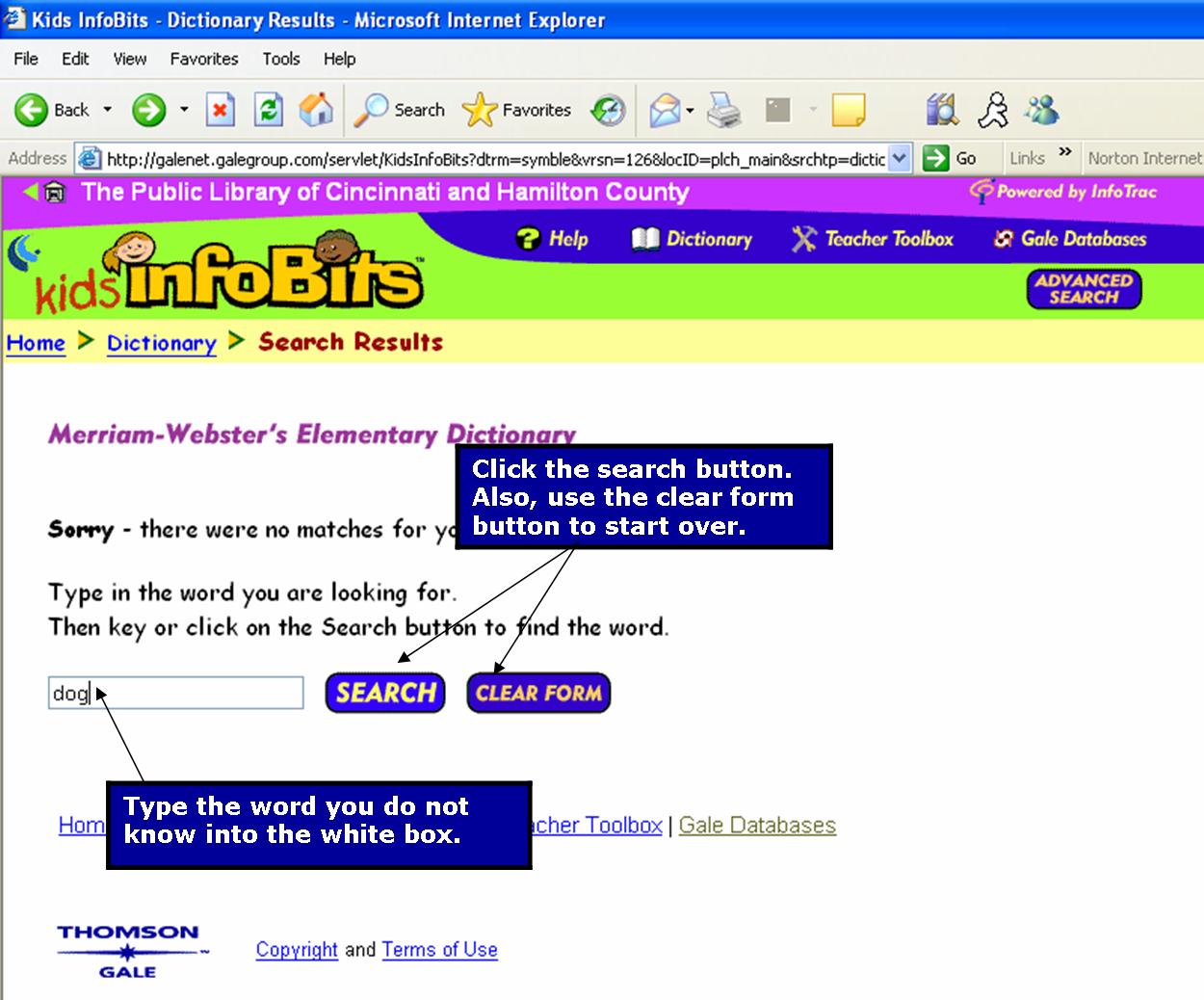
- If you want to clear the word from the white box, click "clear form."
- The results of your search will be displayed in a list. Click on the word that you are looking up.
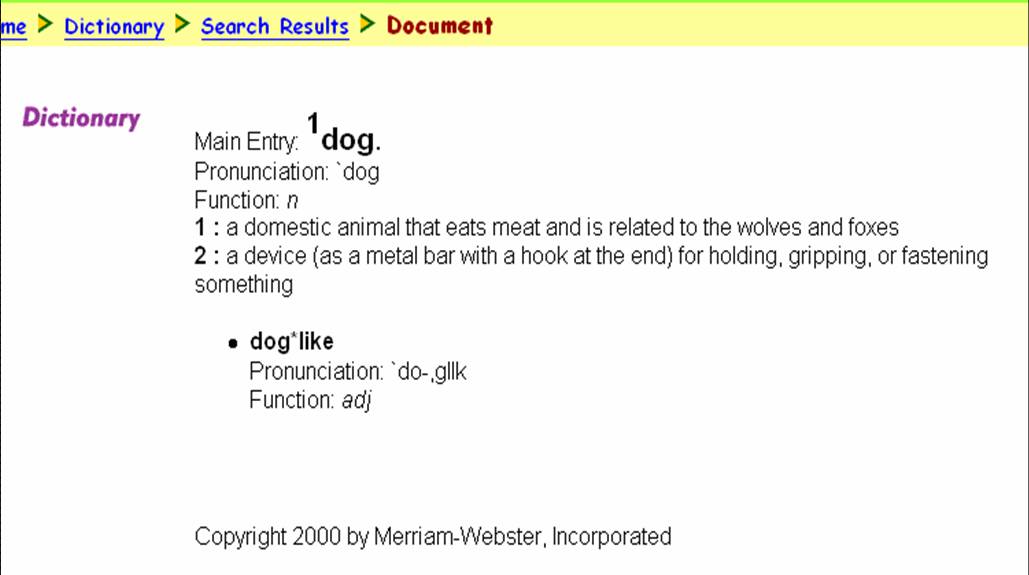
- The definition entry will look like this:
- Return to the Home Page

Created By: Victoria Rowekamp
Last updated: March 28, 2005


