|
 How to setup GPRS dialup networking
Your
GPRS Modem or Phone should include a modem driver
/ network connection suite that allows you to
connect and surf the net. An example is my
Ericsson T68i that I used for my development.
However, you can still configure the dialup
network manually. |
 |
|
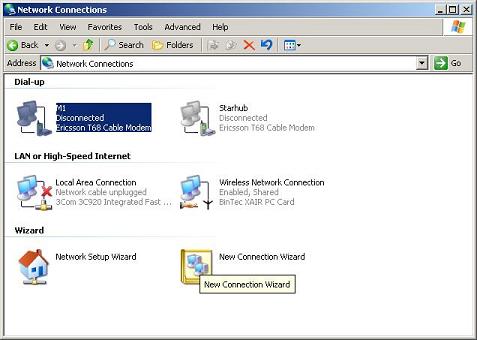
| Click
Start/Settings/Control Panels/New Connection
Wizard |
 |
|
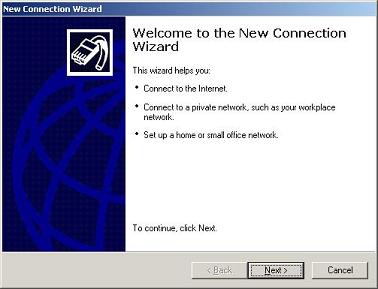
| Click
Next |
 |
|
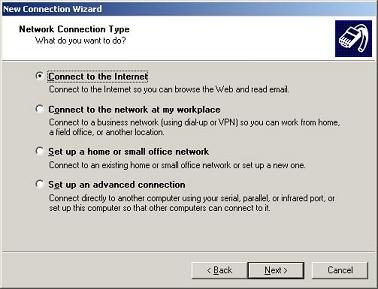
| Select
"Connect to the Internet", click Next |
 |
|
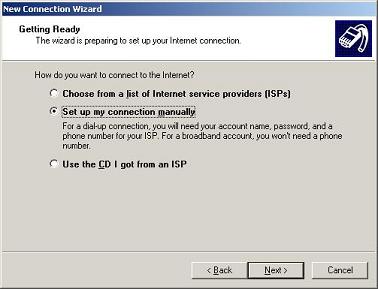
| Select "Setup my
connection manually", click next |
|
 |
|
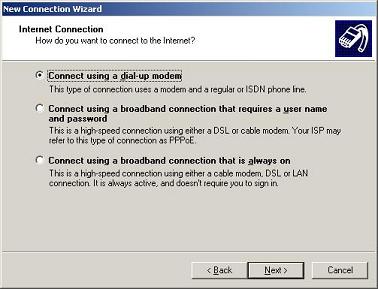
| Select "Connect
using dialup modem", click next |
|
 |
|
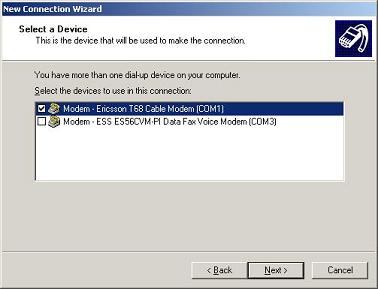
| Select your modem
driver. I am using T68. Click Next |
|
 |
|
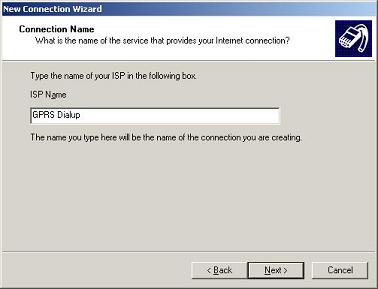
| Type in your
connection name, click Next |
|
 |
|
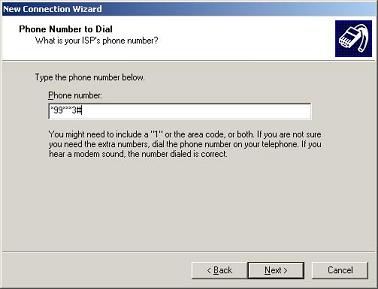
| Type in
your GPRS profile number of your mobile phone. On
my T68, it is call "CID=3", so my
profile is 3 and the dialup format should be
*99**X# where X is your profile number. You can
check this via your mobile data connection modem.
This should be pre-configured by your mobile
provider.
Some links for your reference
http://www.woggledog.com/index.asp?subject=GPRS
http://www.expansys-usa.com/forumthread.asp?code=107704&thread=160
http://www.xs4all.nl/helpdesk/verbinding/gprs/win2000/
http://www.pro4wireless.com/manualer/gsm/at_kommandon_gprs.pdf
http://www.umc.ua/umc_inetgprs_dial-up.html |
 |
|
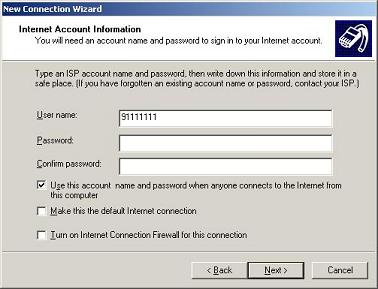
| Type your user name.
In most case, this is your mobile number. Refer to
your mobile, Your mobile should have this in its
setup. |
|
 |
|
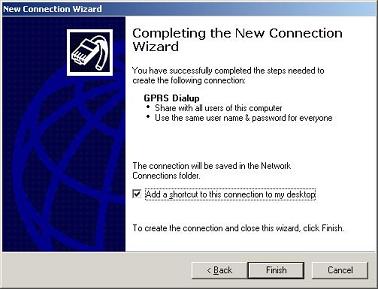
| Click Next |
|
 |
|
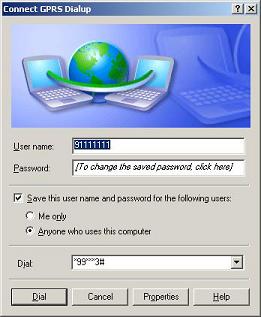
| You can test the
dialup by clicking on the "Dial" button. |
|
 |
|
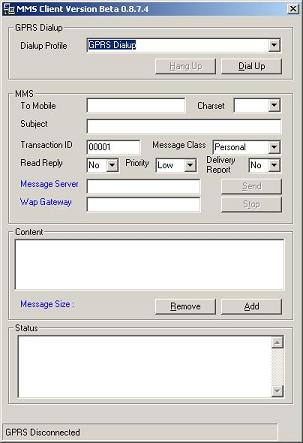
| Under vbMMS, you can
select the Dialup Profile to connect. |
|

 vbMMS
vbMMS