 |
|
|
|
|
|
|
|
|
|
|
|
|
|
|
|
|
|
|
|
|
|
|
|
|
|
|
|
|
Index |
|
|
|
Great Tips |
|
|
|
Downloads |
|
This page is to change your current cursor with my custom made ones. Or you can make your own. |
|
|
|
Games |
|
Middle Finger | M Wheel | Boxes. . . . | No Smoking |
|
|
|
Music |
|
|
|
 |
 |
 |
 |
|
|
|
|
School Help |
|
|
|
|
|
Xbox |
|
|
|
|
|
|
About Me |
|
|
|
DVD Copy Help |
|
Download .. | Download. | Download. | Download |
|
|
|
Cursors |
|
Directions below on how to setup. To make your own cursors download RealWorld Editor. |
|
|
|
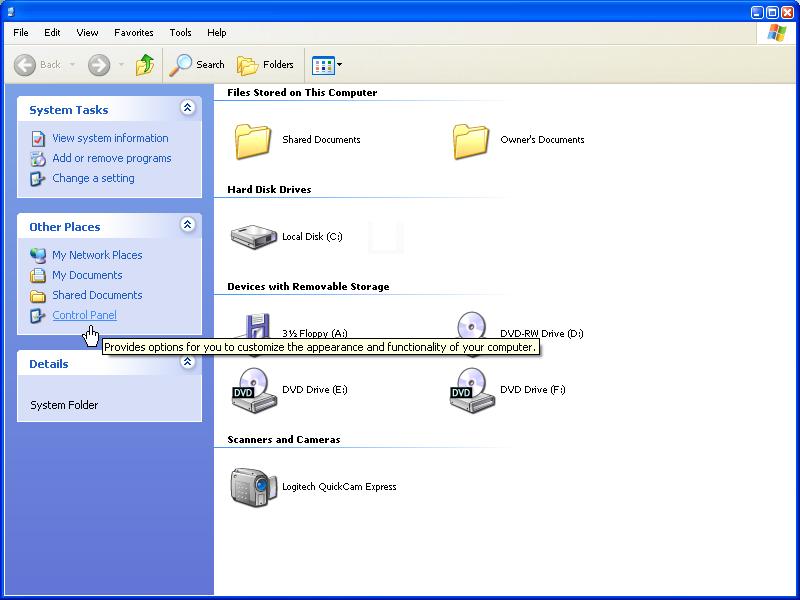
1. Open "My Computer." Then select "Control Panel" on the blue side. |
|
|
|
 |
|
|
|
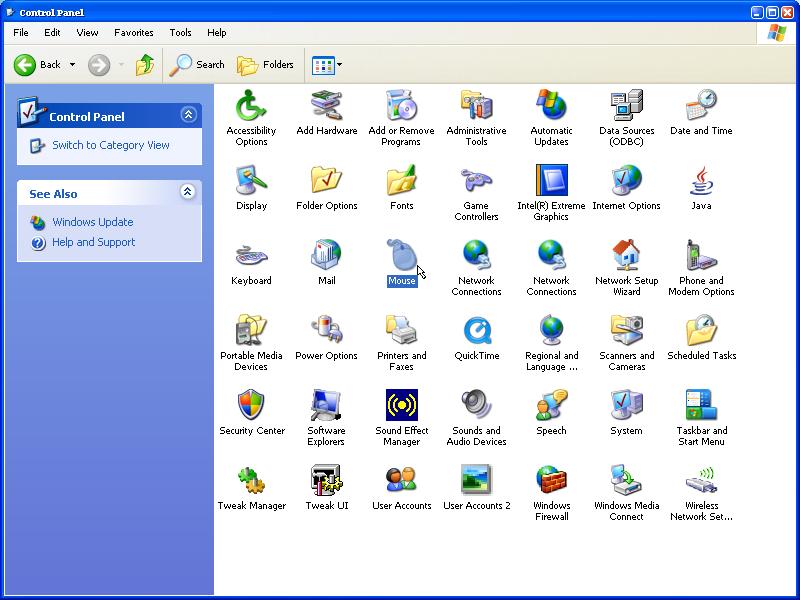
2.Open "Mouse" |
|
|
|
 |
|
|
|
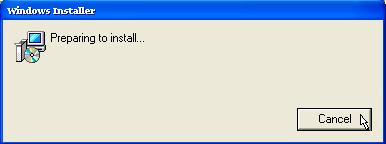
3.If you get a "Windows Installer" Box click "Cancel" till it goes away. Injore this if you don't get it. |
|
|
|
 |
|
|
|
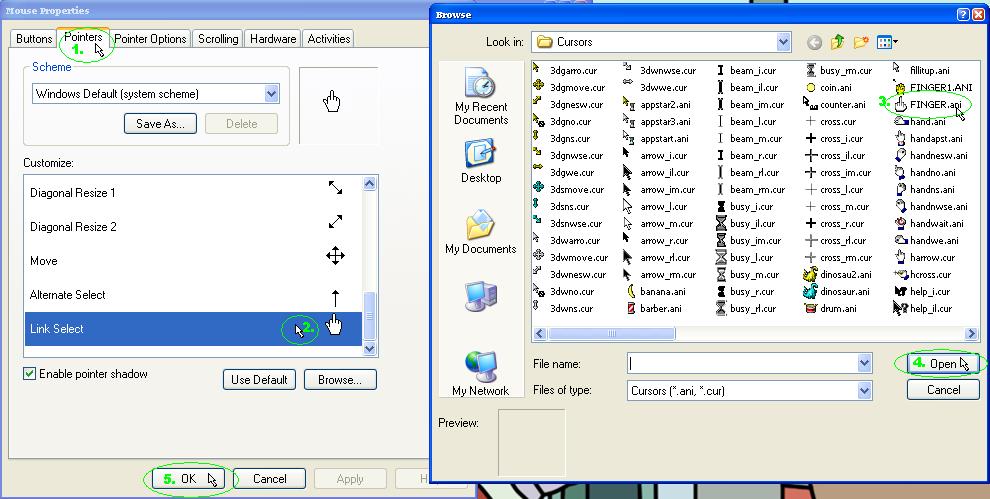
4. Select the "Pointers" tab (1.) then double click the Cursor you want to change (2.). Then Browse for the file (3.) and click "Open" (4.). Then once your finished click "OK" (5.). |
|
|
|
 |
|