
| Maps Downloads Tutorials Tools Mods Downloads Tutorials Tools Skins Downloads Tutorials Tools Community Forum Site Advertise Contact Join Staff Links Clan Renegade CNC |
A Basic Skin First you will need the skin tools from the skin tools section. for this tutorial i have used the XCC mixer tool you will also need dxt tools, When you have the tools unzipped go to the dxt tools folder and copy the file called dds.8bi and paste it in the plug ins folder of what ever paint program you are using, now start the XCC mixer program it may take a while to load up the 1st time because it scans your computer for renegade files, when it has finished go to File then Found then Renegade and click on the always.dat this will load after a few seconds then find the file called v_s_tank_kv.dds this is the flame tank skin then right click on the name then extract save it on the desktop or somewhere you can find it. 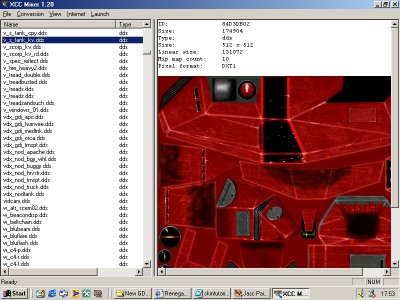 When you have done that start paint shop pro or whatever paint program you use and find the skin file select .dds file in the file type selection and open. 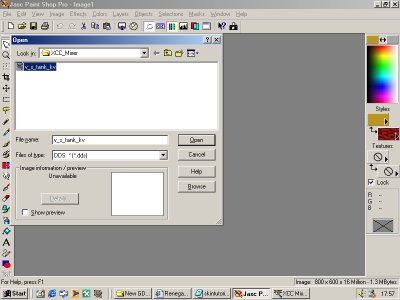 When you open the file it will ask if you want to display mip maps select NO now zoom in about once now edit the skin how you want i went on effects in psp then texture effects and fine leather change the color to orange number of furrows 1 length of furrows 1 then click ok to get a rusted metal look. 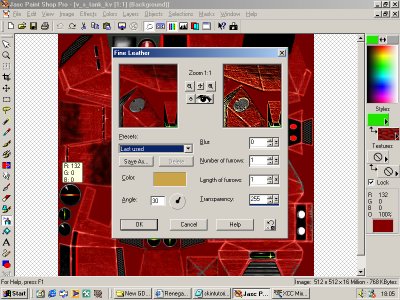 Now when you have edited your skin click save as and save in your renegade data in the westwood folder in program files when you click save a menu will pop up select the following exactly as i did then hit save. 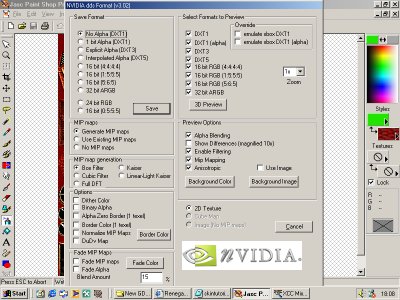 Now your ready to test your skins out in multi play internet, lan, or multi play practice. | Affiliates | Get Affiliated RenegadeRau |