Rear Panel and Light Assembly
 On the rear of the unit, you will see a cover plate with 6
Phillips head screws, 2 of which are larger than the others.
Take note of the location of the two larger screws, as they also hold on
the top plate, which I believe is the light assembly.
Remove all 6 screws and the cover plate will lie down.
On the rear of the unit, you will see a cover plate with 6
Phillips head screws, 2 of which are larger than the others.
Take note of the location of the two larger screws, as they also hold on
the top plate, which I believe is the light assembly.
Remove all 6 screws and the cover plate will lie down.
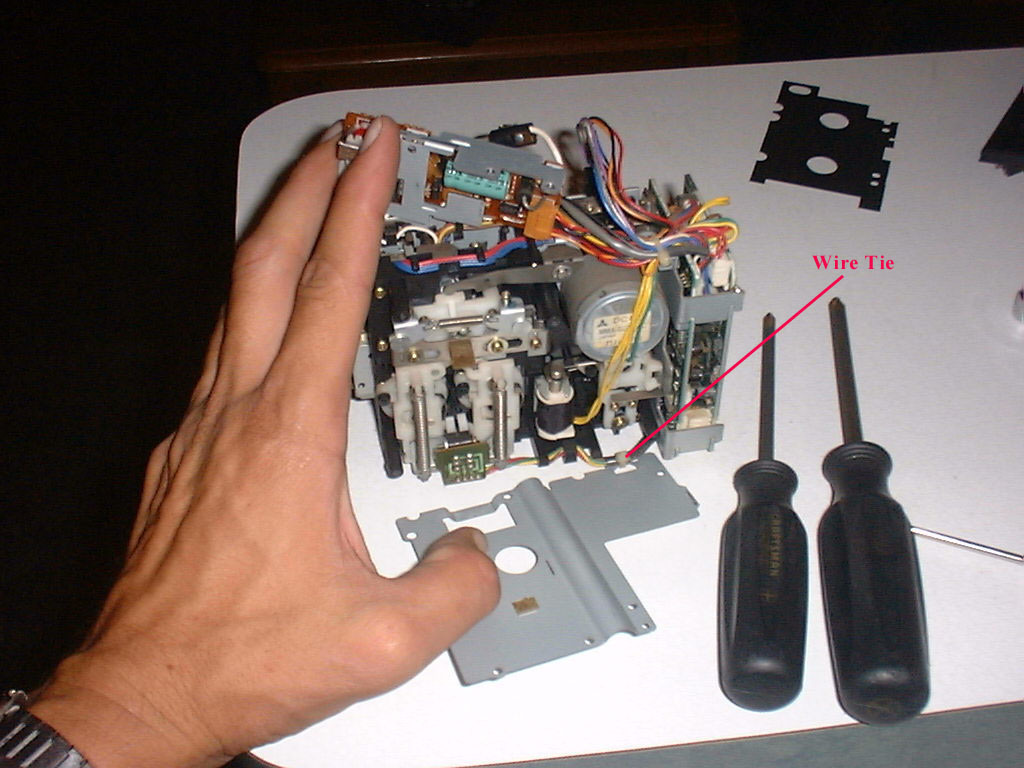
 When you lay the cover plate back, you will see a plastic wire tie on the
bottom right, holding the cover plate to a small wiring harness.
You’ll need to cut the wire tie to remove the cover plate completely.
I really don’t see the need for the wire tie, but you can replace it if
you like during reassembly.
When you lay the cover plate back, you will see a plastic wire tie on the
bottom right, holding the cover plate to a small wiring harness.
You’ll need to cut the wire tie to remove the cover plate completely.
I really don’t see the need for the wire tie, but you can replace it if
you like during reassembly.
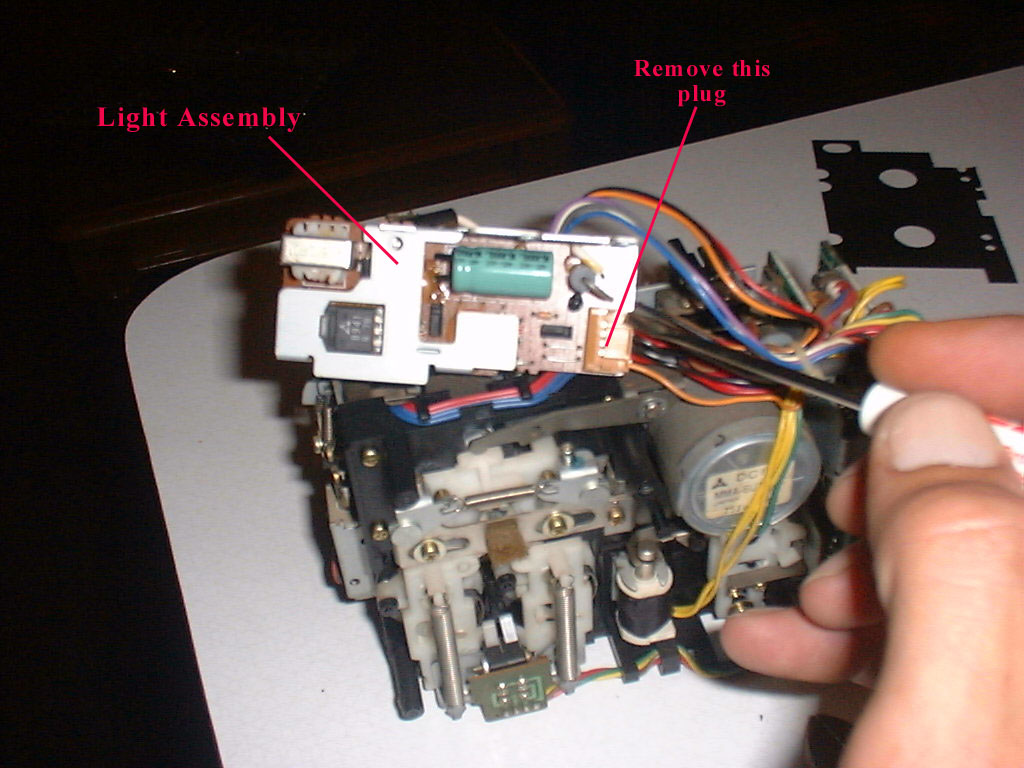
 Turn over the light assembly and find the small orange plug
on the right side. Take a small
screwdriver and lift the retaining tabs and remove the plug.
The light assembly is still attached by another wire, but removing this
plug allows you to move the assembly out of the way.
Turn over the light assembly and find the small orange plug
on the right side. Take a small
screwdriver and lift the retaining tabs and remove the plug.
The light assembly is still attached by another wire, but removing this
plug allows you to move the assembly out of the way.



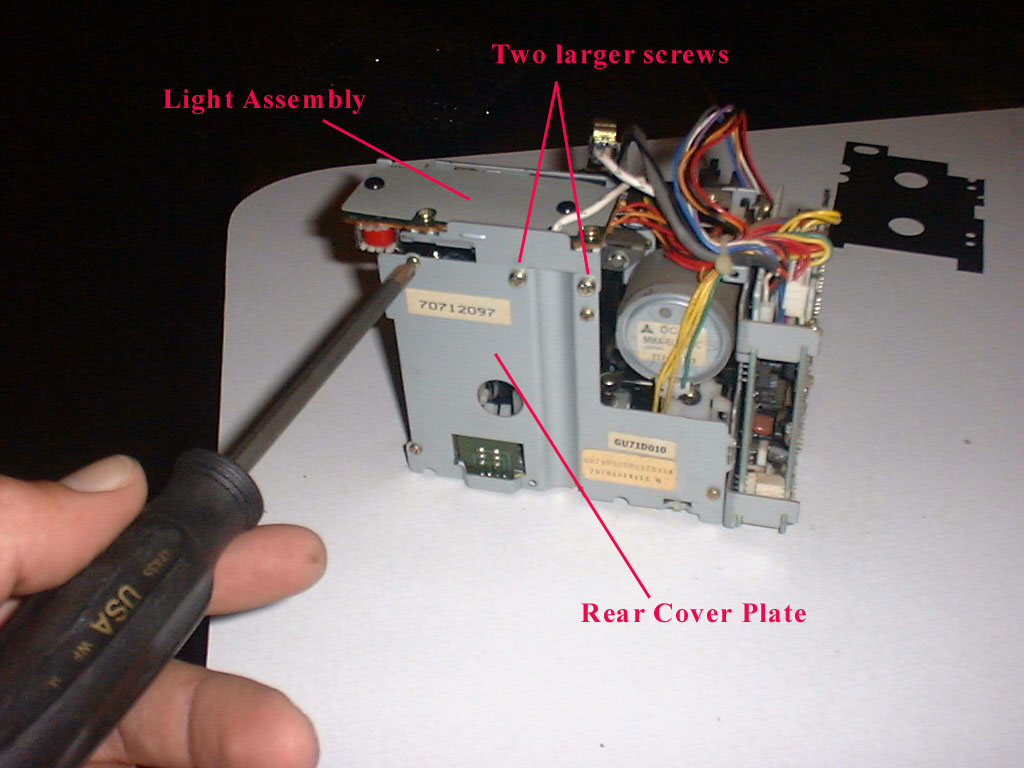 On the rear of the unit, you will see a cover plate with 6
Phillips head screws, 2 of which are larger than the others.
Take note of the location of the two larger screws, as they also hold on
the top plate, which I believe is the light assembly.
Remove all 6 screws and the cover plate will lie down.
On the rear of the unit, you will see a cover plate with 6
Phillips head screws, 2 of which are larger than the others.
Take note of the location of the two larger screws, as they also hold on
the top plate, which I believe is the light assembly.
Remove all 6 screws and the cover plate will lie down.