
Now that we have the host names of some people on your network, we should send some messages to them. Some people are really useless with computers so when we send a message to them we can trick them into doing all sorts of things. Such as:
-Making them shut down their computer
-Making them worry
We can use the command 'net send' to send them messages.
Net send is used like this:Sending a message on the network
Now that we have the host names of some people on your network, we should send some messages to them. Some people are really useless with computers so when we send a message to them we can trick them into doing all sorts of things. Such as:
-Making them shut down their computer
-Making them worry
We can use the command 'net send' to send them messages.
Net send is used like this:
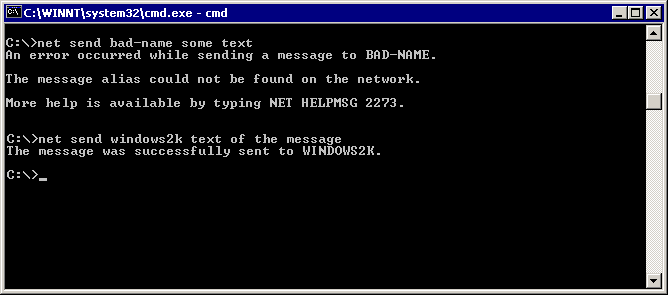
C:\> net send "windows2k" text of the message
So what does this mean?
The first bit is the command (net send). The next bit is the host name (windows2k, remember we collected them using net view). And the last bit is exacly what it says (the text of the message),
Now that we have the host names of some people on your network and we know that they exist because we sent messages to them we can irratate them by shutting down their computer (we didn't actually need to send them a message).
To do this we yet again need their host name and yet again we need CMD.
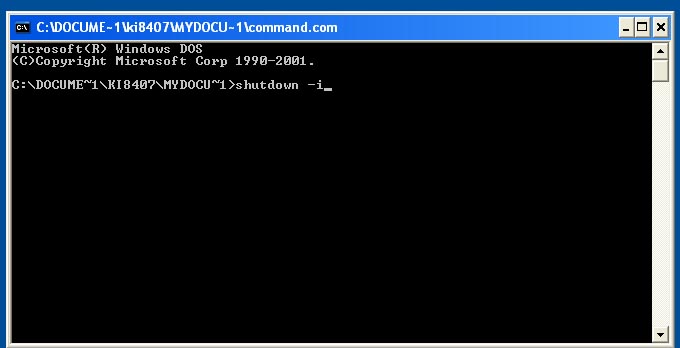
The command we use to shutdown or restart their computer is 'shutdown'.
The exact command we use is shutdown -i
First of all we click 'add' and then type in the host name (such as: homecomputer)
Then you choose the settings you want and give a nice comment and click ok.
BACK NEXT