eBIZ Course
An online support site for Preparing a Business Plan (Ebiz) Course
Philippine Trade Training Center
Department of Trade and Industry


Welcome
What is the eBiz Course
Installing and Running the program
 
How do I use the CD
How do I learn using the CD
The Main Page of the Course
Knowing the Buttons and Icons
Help and Online Support
 
Contact us
Links


<< Previous Topic   Next Topic >>

How do I install and run the CD?

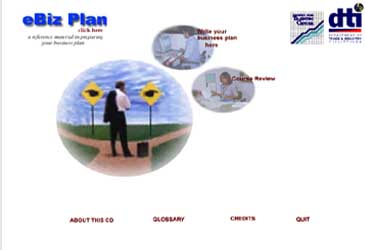
3. You will be brougt to the main page of the eBiz Plan. You will
see two functional buttons in the opening page, One:Write
your Business Plan here
; and Two:Course Review as shown
below:
Now, you are ready to use the CD course.

Click the image button on Write the Business Plan:

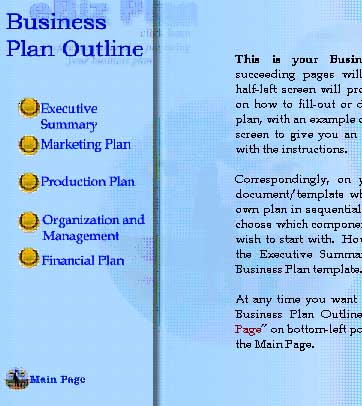
You will be prompted to the next page where you see
instructions on how to prepare the Business Plan. It has an
outline of the four major components of the Business Plan
namely, Executive Summary, Marketing Plan, Production
Plan, Organization and Management, and Finance.
<<previous page next page>>


This webpage is best viewed using Microsoft Internet Explorer at 1024x768 resolution. The courseware in CD format and this online support site is a product of the Philippine Trade Training Center and the Department of Trade and Industry in cooperation with Queensland University of Technology, Brisbane, Australia and Bridgeworth Consulting Inc., Manila, Philippines.  


Hosted by www.Geocities.ws

1