Upon
initial
power up
(when you
first
switch on
the AC
supply),
the unit
will emit
a beep
tone and
the red Power
LED lights
up. IC
uses a
combination
of beep
tones and
LEDs to
indicate
the
various
modes of
operation
and the
status of
the
charging
process.
Basically,
there are
four modes
of
operation:
Self
Test Mode
The
IC is
equipped
with a
self-test
mode to
ensure
that it is
fully
functional.
It can
test the
functionality
of the
various
compartments,
circuitries
and
others.
The LEDs
will light
up and
blink
accordingly
to
indicate
the
status. At
the end of
the
diagnostic
mode, a
beep will
sound. As
it is too
lengthy, I
will not
include
the
specifics
of the
display
for this
mode.
Charge
Mode
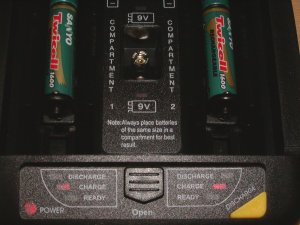 The
IC has
been
designed
such that
when both
compartments
are filled
with
batteries,
the
compartment
that has
been
filled
first will
be charged
first
while the
batteries
in the
other
compartment
will be
put in a
stand-by
mode. When
the
batteries
are
charged,
the
corresponding
red charge
LED will
light up
for that
compartment.
If the
batteries
in a
compartment
are
waiting to
be
charged,
i.e.
placed in
stand-by
mode, the
red charge
LED for
the
corresponding
compartment
will
flash/blink.
The
IC has
been
designed
such that
when both
compartments
are filled
with
batteries,
the
compartment
that has
been
filled
first will
be charged
first
while the
batteries
in the
other
compartment
will be
put in a
stand-by
mode. When
the
batteries
are
charged,
the
corresponding
red charge
LED will
light up
for that
compartment.
If the
batteries
in a
compartment
are
waiting to
be
charged,
i.e.
placed in
stand-by
mode, the
red charge
LED for
the
corresponding
compartment
will
flash/blink.
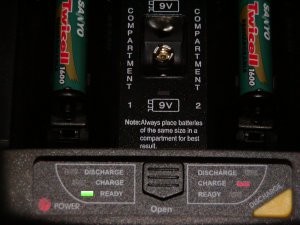 When
the
batteries
are almost
fully
charged,
the red charge
LED goes
off and
the green ready
LED begins
to flash.
The IC
will also
emit a
tone of
three
short
beeps as
an audible
status
indicator
to let you
know that
you can
remove the
batteries
shortly.
The IC
switches
from a
fast
charge
mode to a
trickle
charge
mode to
ensure
that the
batteries
are kept
in an
optimal
charge
level when
they are
removed
from the
charger.
The
flashing
green ready
LED will
stop
flashing
and
remains
lit to
indicate
that the
charging
process is
complete
and the
batteries
can be
removed.
If there
are
batteries
in the
other
compartment,
they will
be taken
off from a
stand-by
mode and
the
charging
process
begins.
When
the
batteries
are almost
fully
charged,
the red charge
LED goes
off and
the green ready
LED begins
to flash.
The IC
will also
emit a
tone of
three
short
beeps as
an audible
status
indicator
to let you
know that
you can
remove the
batteries
shortly.
The IC
switches
from a
fast
charge
mode to a
trickle
charge
mode to
ensure
that the
batteries
are kept
in an
optimal
charge
level when
they are
removed
from the
charger.
The
flashing
green ready
LED will
stop
flashing
and
remains
lit to
indicate
that the
charging
process is
complete
and the
batteries
can be
removed.
If there
are
batteries
in the
other
compartment,
they will
be taken
off from a
stand-by
mode and
the
charging
process
begins.
The
above
process
does not
apply to
9V
rechargeable
batteries.
Up to two
9V
rechargeable
batteries
can be
charged
simultaneously
and a red
LED next
to each 9V
battery
will light
up
accordingly
to
indicate
the
status. It
is
mentioned
that 9V
rechargeable
batteries
cannot be
fast
charged,
discharged
nor deep
conditioned.
Discharge
Mode
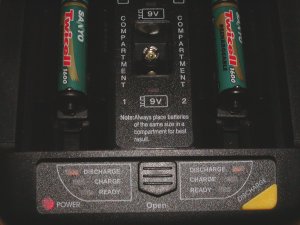 This
mode can
be
selected
by pushing
the yellow
discharge
button
after
inserting
the
batteries
into the
IC. A
yellow discharge
LED
lights up
for the
corresponding
compartment
to
indicate
the
discharge
status.
The
discharge
mode is
useful for
Ni-Cds
that
exhibit
memory
effects.
This is to
ensure
that the
Ni-Cds
perform at
an optimal
level. In
addition,
this mode
should
also be
used
before
charging
batteries
at a
different
state of
charge,
i.e. one
battery is
almost
complete
discharged
while the
other is
almost
fully
charged.
This is to
ensure
that the
two
batteries
can be
fully
charged
thereafter.
Unlike the
charging
mode, IC
can
discharge
up to four
batteries
simultaneously.
Once the
discharging
process is
completed,
the IC
automatically
switches
over to
the charge
mode and
the
charging
process
begins.
This
mode can
be
selected
by pushing
the yellow
discharge
button
after
inserting
the
batteries
into the
IC. A
yellow discharge
LED
lights up
for the
corresponding
compartment
to
indicate
the
discharge
status.
The
discharge
mode is
useful for
Ni-Cds
that
exhibit
memory
effects.
This is to
ensure
that the
Ni-Cds
perform at
an optimal
level. In
addition,
this mode
should
also be
used
before
charging
batteries
at a
different
state of
charge,
i.e. one
battery is
almost
complete
discharged
while the
other is
almost
fully
charged.
This is to
ensure
that the
two
batteries
can be
fully
charged
thereafter.
Unlike the
charging
mode, IC
can
discharge
up to four
batteries
simultaneously.
Once the
discharging
process is
completed,
the IC
automatically
switches
over to
the charge
mode and
the
charging
process
begins.
Deep
Conditioning
Mode
After inserting the batteries into the IC, push and hold the yellow discharge button until the red ready LED flashes and a beep tone is heard to select this mode. This mode is selected to revive/refresh batteries damaged by memory effects. It can also be used to break in new batteries. Essentially, the deep conditioning mode consists of a series of three discharge and charge cycles. The IC begins by discharging the batteries. Once the discharging process is completed, it will begin charging the batteries automatically. The process is repeated for three times, using the flashing green ready LED to indicate the cycle number. Both the red charge LED and the yellow discharge LED stay lit to indicate that the deep conditioning mode has been engaged. The two LEDs will go off once the deep conditioning process is complete.
