- Shutdown D3 using the shutdown command.
- At the Unix prompt, enter rm /tmp/D3_flash-rs-* to remove the
previous flash version.
Note: If the D3 files have been removed from the /tmp
directory, they should be reloaded using the Unix tar command. This
step should then be repeated.
- Move the downloaded patch file D3_flash-rs-7.1.18-.Z to the /tmp
directory
- Enter init s to place Unix in single-user mode
- Enter ps -ef|grep "d3 -"|awk '{print "kill -9 "
$2}|sh to kill any remaining D3 processes
- Enter cd / to change to the root directory
- Enter /tmp/D3_setup to run the setup utility
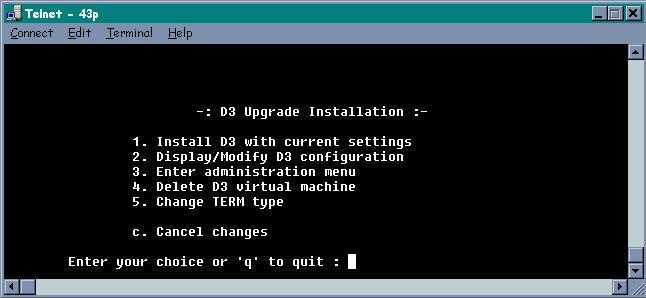
- Select option 1 to Install D3 with Current Settings
- If an override prompt appears, enter y to accept
- Boot D3 using the command d3 -0


|
