
It is quite easy to transfer all kinds of books and documents from your PC to a Palm PDA. Just find a text on the internet (for example the Westminster Confession of Faith), and save it to your PC. Convert it to a Palm Doc file, and install (read on for directions). You will need a Palm Doc reader, too. The graphic above at right is a screenshot of the CSpotRun Doc Reader in action. CSpotRun is a "freeware" Palm DOC reader with many useful features. For example, 3 selectable line spacing options. The smallest line spacing gives you 3 extra lines per page over the largest spacing. The middle spacing just gives you 1 extra line. CSpotRun also offers 4 selectable font options: Normal, bold, large and large bold.
Navigating through a file can be by tapping the screen with your stylus, or by using the hardware scroll buttons, or auto scrolling. You may also navigate through documents by choosing a percentage of how far you are into the document. Screen tapping can be set up to allow you to scroll a line at a time, half a page at a time or one page at a time. If you use the hardware up/down buttons, they will scroll one page at a time. Navigating by a percentage is done via a pull down menu that has top, 10%, 20%, ....., 90%, bottom for picks. Auto scrolling will scroll by line or pixel. This is great for hands free use. You can choose between line or pixel and adjust the speed of the scroll. CSpotRun will save your place in the file so that if you switch to a different DOC file and come back to the original one, you'll be at the spot where you left off. Only the available RAM on your Palm limits the number of doc files you can have. You can get hundreds of free books in DOC format at Memoware. Project Gutenberg is another great place to get free books.
Wordsmith also functions as a DOC reader, like CSpotRun, but has the unique ability to give a pop-up screen on your Palm at any time listing paragraph headings for the entire document. The best feature of Wordsmith is its relationship to MS Word on your PC. When you install Wordsmith it places a menu item "Wordsmith" in MS Word, which enables you to easily moved Word documents to or from your Palm to your PC. Wordsmith also has a function to convert any Word document file to a Palm DOC file. This is handy for creating your own ebooks. You can get your text from Project Gutenberg, for example, and easily convert it to a Palm DOC to read on your Palm. Wordsmith is the creation of Blue Nomad software, but the version I bought at Office Depot was packaged and sold by Handmark. For a more detailed review of Wordsmith click here. |

|
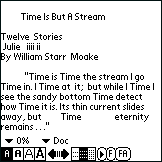
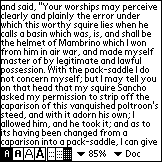 You may also toggle the controls that display at the bottom of the screen to get a full-screen reader. All the controls are still available by pressing the menu button. CSpotRun will also allow you to rotate the display sideways.
 You can also easily make your own Palm Doc's from text files of any size. "MakeDocW" is an easy to use free Doc maker. Here is a screenshot: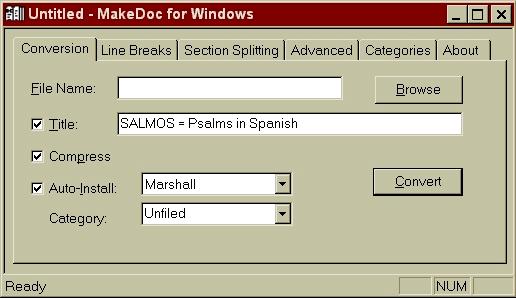

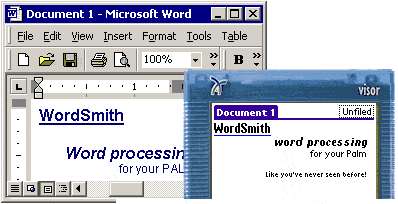 I highly recommend a Palm word processor called "Wordsmith." Wordsmith is considered by most reviewers to be the best word processor for the Palm. It normally sells for $29.95, but I was able to find a boxed copy at Office Depot for only $9.95. Wordsmith is very useful in several ways. If you want to type (with your folding Palm Keyboard) a long document on your Palm, Wordsmith allows you to overcome the normal 4kb (a couple of pages of typed text) limitation of memos on the Palm. You can create new, or edit existing Palm documents of any size that will fit in your Palm's memory. Write a book if you like, there's plenty of room.