Prefactoring
with Luigi Morelli’s factor 3_2:
Lone
Mersenne Hunters’ two subprojects, Operation Billion Digits (OBD) and 100
Million Digit Prefactor Project (100MDPP) are using Luigi Morelli’s factor 3_2
program to prefactor exponents in their search for big primes.
How do I operate it?
There are
two ways of using factor 3_2:
Wide:
Factoring wide means to
factor a range of exponents to a certain bit level, usually up to 50 bit
Deep:
Factoring deep means to
factor a single exponent to higher bit levels than wide.
Both
projects factor deep but only 100MDPP factors wide as well.
Factoring
wide:
Since
100MDPP is the only project, which is doing wide prefactoring, this is only
relevant for people working for 100MDPP
First of
all, you are going to need a file containing the range you will be factoring:
- Visit the 100MDPP site here and
choose a range from the upper framework
- Click on the corresponding
portrait of Marin Mersenne to download the workfile
- Send a mail to the administrator saying what range
you have chosen
Now you
have reserved the range, it’s time to start factoring it:
1. First
you’ll need to get the program here
and then download the two needed dll’s here and here
2. Unzip
everything (including the workfile) into one directory and open a
cmd/DOS-window.
3. Get to
the factor 3_2 directory and run “C:\Whereever you placed it\factor3_2b
<worktodo.ini (remember the b)
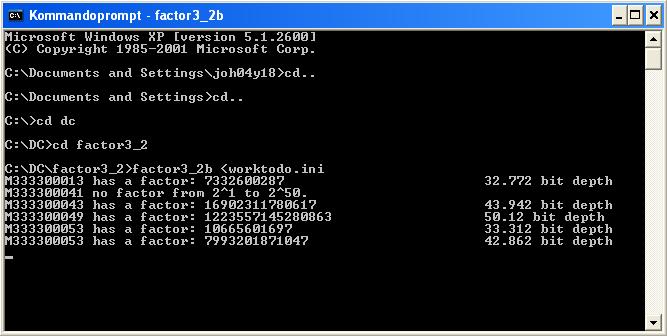
factor
3_2b factoring wide
4. When
factor 3_2 is finished with the factoring, you’ll have to email results.txt to the administrator. If you want
to continue with that range and take it to a larger bit depth, remember to say
so in the mail. You should then receive a new worktodo.ini with updated bit
depths.
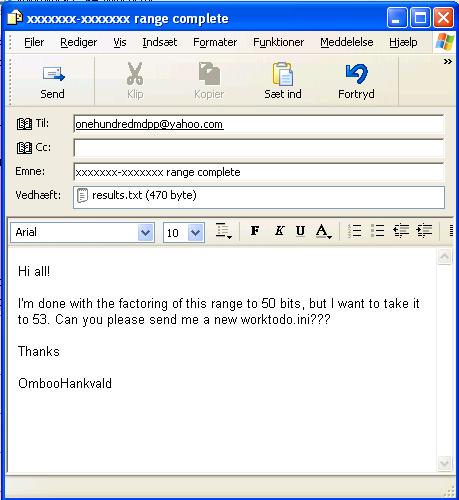
Requesting permission to larger bit depth
Factoring
deep:
To factor
deep, first you’ll have to reserve an exponent:
100MDPP: Go here, pick
an exponent and email the administrator
saying what exponent you’ll be factoring and to what bit depth.
OBD: Go here, pick an
exponent and post a message here saying
what exponent you’ll be factoring and to what bit depth.
Then, the
factoring begins:
1. First
you’ll need to get the program here
and then download the two needed dll’s here and here
2. Unzip
all three into one directory and double-click factor3_2.exe.
3. A DOS box
should ask for some info, enter them now
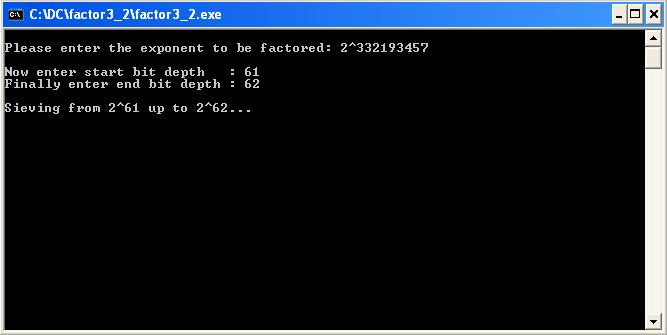
Deep-factoring M332193457
4. When the
factoring of the exponent is finished, you’ll need to report the results.
100MDPP: For
this project you’ll need to mail the
administrator the result saying if there was a factor (and what it was) and
say if you want to continue with that exponent.
OBD: In this
project you should post any factors you’ve found here and tell if
you’ll run the exponent to a higher bit level.
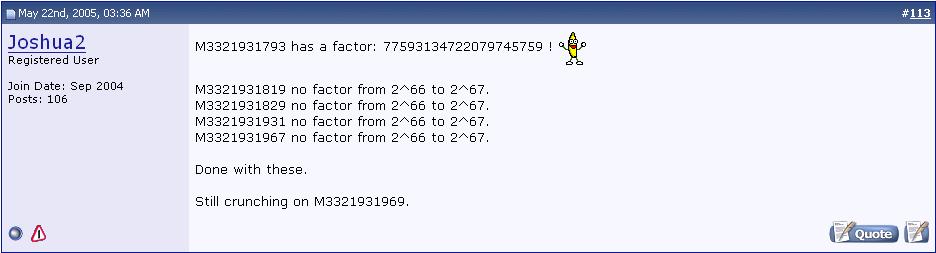
Joshua2 reporting his exponent-results