Lone Mersenne
Hunters:
Lone
Mersenne Hunters (LMH) is a small community of people who are factoring
Mersenne numbers to support GIMPS in their search for large Mersenne primes.
The project is testing exponents not yet tested by GIMPS’ PrimeNet server,
thereby relieving PrimeNet of some of the hard work.
Reserving a
range:
First you
need to find a range to work on:
Go here. Here you
should see a list with 3 columns: “Range”, “Status” and “Remarks” similar to
this one:
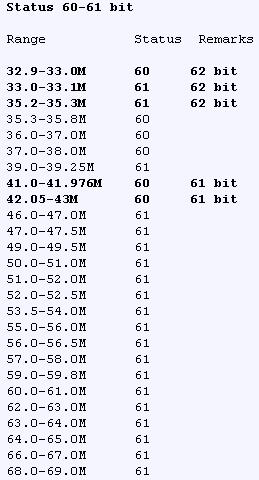
Range: This
shows the different ranges from which you may choose one to test.
Status: This
shows the current status of the range. If you choose this range, then you need
to factor to some point above this.
Remarks: If the
range is most wanted (they’re the ones in bold) then this shows the wanted bit
level. “Next in primenet” means that this range will be released on PrimeNet
very soon and there is not much time left to factor it.
Pick a
range and post a message anywhere on the forum saying what
range you choose and what bit level you are factoring to (factoring to large
bit levels take more time but produce more results).

ThomRuley reserving a range
Okay, so
now the hunters know that you have reserved your range. It’s time to begin the
process:
Getting the
range:
1. Get the
list we need (called nofactor.zip) via FTP or HTTP and then get a
program to operate it (called decomp.zip) via FTP or HTTP
2. Unzip
both into the same directory
3. Open a
command-line box (DOS-prompt) and get to the directory with the list and the
program. Run the program adding “–w start_exponent end_exponent” (without the
quotation marks), so if you for example want to do 49.0 to 49.5 you should run
“decomp.exe –w 49000000 49500000” (without quotations). It should then spit out
a file named nofactor.
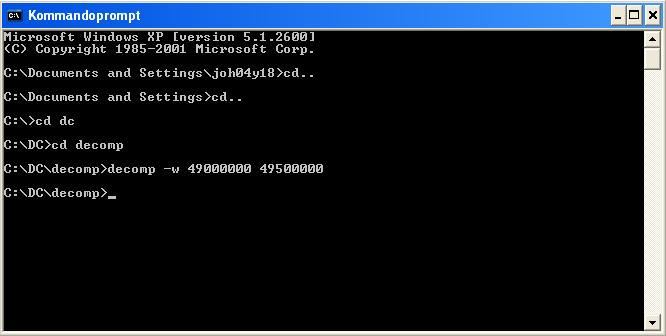
Getting the exponents between 49.0 and 49.5
4. Close
the cmd box and rename the new nofactor file to worktodo.ini
Now you
have the exact range you reserved, now test it:
Testing the
range:
1. Download
the newest p95vxxxx.zip from GIMPS
2. Unzip it
3. Run the
.exe, choose “Just Stress Testing”, and shut it down again (make sure it’s not
just minimized) to make two new files appear.
4. Open the
new prime.ini and add the following two lines:
FactorOverride=xx
(where xx is the bit level
you want to factor to)
WellBehavedWork=1
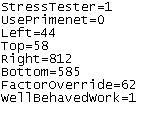 How prime.ini
should look if you are factoring to bit level 62
How prime.ini
should look if you are factoring to bit level 62
5. Move
your homemade worktodo.ini into the p95 folder
6. Run the
exe and it should start working

You can see status at the bottom line
7. When
finished, email George Woltman
and remember to attach the results.txt from Prime95 directory.
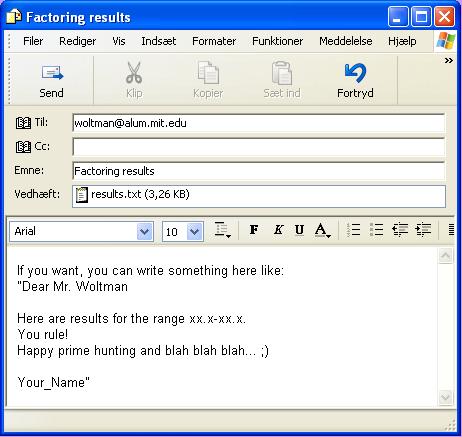
Remember to submit your results to George
Woltman
Problems?
Help! When I launch Prime95 after having placed my worktodo.ini in its directory it runs through a whole bunch of errors!
Are you
sure you have set “FactorOverride=” in the prime.ini to a number to which
nobody yet has factored? You can check in this thread what
the ranges have been factored to.
Index
– Mersenneforum Projects