(PhotoShop Secrets and Tips)
· Easy Texturing
Why search for texture images or even use a Texture plug-in? A proper mix of Photoshop filters can make a simple texture in a few seconds. (To make the background of this site, for example, I used a moderate amount of noise, then blurred the result till it looked soft but not too diffuse. Then I used Variations to change colors, and saved it in RGB color as a JPG file.)
You can also easily make a "rocky" or "crumpled paper" texture. Let's start with a blank square...

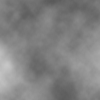
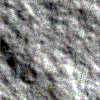
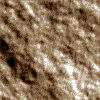
(Of course, you can just save the clouds as a PSD file and use that as a bitmap for the Texturizer filter, but you need to be texturizing over another bitmap. The method I've shown you above is nice for making wallpapers like the ones in Upholstery.)
· A note on seams
It is very rare that Photoshop spontaneously produces a seamless texture tile, unless you have Kai Krause's Texture Explorer or some similar plug-in. To get rid of seams, I found a simple but easily overlooked tip in the Boutons' Inside Adobe Photoshop 4: