| The first step to a Vector is obviously choosing an image. Or not, if your just awesome. I figure, if its your first time.. you might as well start with something very simple. I thought this picture of Lindsay 'now anorexic' Lohan (image 1.0) would be suitable. If you want to use the same image as me, go right ahead.. it might make practicing a tad simpler, or just wing it and pick your own. The next step is getting photoshop set up to Vector-ize. |
 |
 |
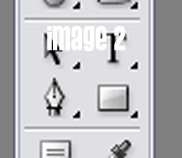
| Now, for vectors your gonna be using the 'pen tool'. I know it sounds VERY complicated but its quite easy.. that little bad boy looks something like Image 2. (to the right) Now that you've selected the Pen Tool, its time to get all layered up. Layers are important when making a vector, im sure why... but they are. Your gonna want your Layers to look something like Image 3 (down below). |
 |
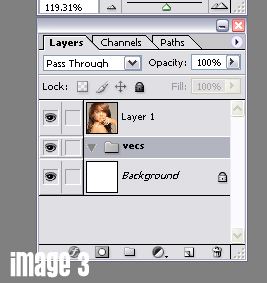 |
| Now your probably asking yourself.. 'how the hell did she do that?' if not... well than you can just jump past this part. If you are wondering... heres what you do. DONT open your image as the file, your gonna wanna paste is over a blank background. This makes it easier to work beneath the image. So Copy the image from the website. Move over into PS and go into the File menu and then New and then Paste. Then, to get the folder i made called Vecs you go into the Layer menu and pick New and then New Layer Set. When it asks your for a name. You can call it whatever the hell you want. I just call it vecs, cause thats simple enough. |
| NOW as a side note, if you've looked into other Vector tutorials, you see that instead of making just one big folder called Vecs they make one for Hair, Skin, Clothes or whatever else the image consits of. I don't do that personally because then my work space gets to busy and because I am always jumping around from hair to clothes to skin.. i just bunch it all in one folder and go from there. You can, however... make multiple folders. Just follow the same steps you did to make VECS and name them various things. Just don't make more than at least 4 or 5 folders because then you take away from the simplicity of a vector. So.. once you've got your picture, and your layers... were ready to start! |
 |
 |