 |
|
|
|
|
|
|
|
|
|
|
|
|
|
|
|
|
|
|
|
|
|
|
|
|
|
|
 |
|
|
|
Nokia 8210 LED Changing
Thanks to huggable.org |
|
|
|
 |
|
|
|
 |
|
|
|
What Your Going to Need:
The right LEDS for your 8210 mobile phone, if you have a flashing keypad, the leds are the same as the ones on that.
You will also need the TX6 Screwdriver OR the right size phillips head the wangle your way into the star-shaped screws.
Ok, lets get started
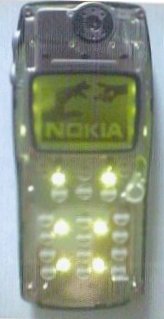
First of all remove your Xpress-On cover and i'm sure you all now how to do that, if not refer to your manual, your phone should resemble this one in the picture to the left of this text. This is what your phone would normally look like before the leds have been replaced |
|
|
|
 |
|
|
|
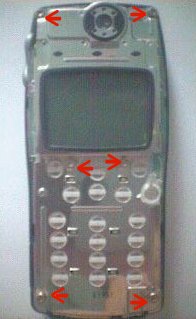
Next you will need to remve the six TX6 screws there should be six of the and the locations are in the picture to the left of this text. This is the part where you handy dandy supery-doopery screwdriver-river comes into play. If you doing it the cheap way like I did, you will be using a small phillips head, but not to small! |
|
|
|
|
|
 |
|
|
|
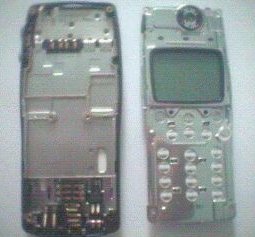
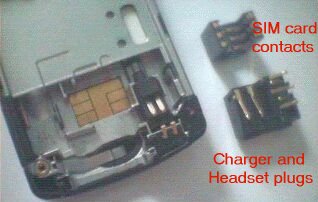
Place the phone with the LCD facing up, then remove the main circut assembly by lifting the part with the LCD attached up from the back (bathtub) piece. Be careful not to turn the backpiece upsidedown or the simcard and handsfree/charger connectors will fall out. But if you do happen to do the never fear, The charger socket goes on the right and the handsfree socket goes on the right |
|
|
|
|
|
 |
|
|
|
This is for illistration only notice the vibrator motor to the right of the simcard (the simcard is the golden thing) |
|
|
|
|
|
BACK HOME |
|
|
|
NEXT PAGE |
|
|
|