
Using Real Life Data To Make Predictions
Developed by Melinda Newport
http://www.geocities.com/newports_class/index.html

How can we use real life data to make predictions? How do businesses use real life data to make predictions in production and maximizing profits? Is there a relationship or correlation between one�s arm span and their height? Is there a relationship between the height of a candle and how long it has been burning? Is there a relationship between the length of baby when he or she is born and the month in which they were born? Is there a relationship between a bird eggs length and mass? Is there a relationship between how long one spends studying for a test and the score in which they receive? Is there a relationship between the number of times a cricket chirps and the temperature in degree Fahrenheit? Today you will begin your quest to find answers to these questions. You will explore data, graphs, equations, and correlation coefficients, that will enable you to answer these kinds of questions.

As a team you will embark upon a journey to answer the questions addressed in the introduction. You will be working in groups of three or four. While all of you will be responsible for each activity, you will each assume a primary role. Before you begin working on the activities, decide which role each of you will take from the list below:
| Measurer/Recorder | Data Entry Specialist/Aesthetics Coordinator | Reflection Coordinator/Graphing Calculator Expert |
|
|
|
For each activity in the process you will complete the Activities Sheet, which includes attaching an Excel graph, and an applet graph, for each set of data. As well, you will complete an additional worksheet for the Bird Activity. You will find the link to this sheet when you get to the Bird Egg Length and Mass Activity. Your evaluation will be a group presentation about Cricket Chirps and Temperature in Degrees Fahrenheit. We will be working on this quest for several class periods. Your final evaluation for this quest will be a group presentation. Finally, to conclude the activity you will take an individual assessment where you will be required to articulate your knowledge about data, graphs, equations, correlation coefficients, and making predictions in real life situations.




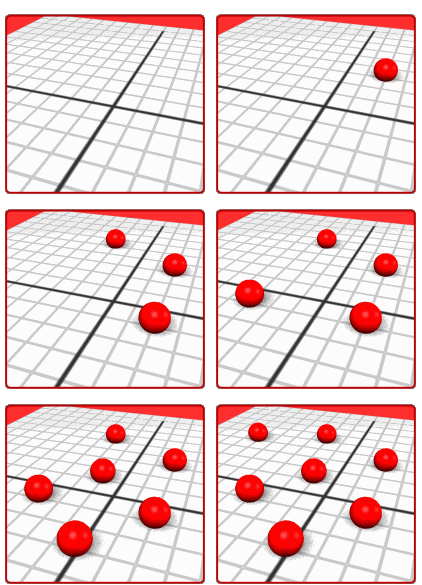
The process will consist of five activities. In each activity you will compare two variables. You will collect data, or use given data, to explore real life situations. You will compare two sets of data by creating a scatter plot. You will create scatter plots using an online applet, Excel, and finally the graphing calculator. You will examine the scatter plot to determine if there are any correlations between the two sets of data. After finding the linear regression equation you will use the graphing calculator to graph the equation and make predictions and answer questions about the relationships that may exist between the two sets of data or the two variables involved.
Let's get started! Click here for Activities Worksheet-----> Activities Worksheet
Height of a Candle and How Long It Has Been Burning
Length at Birth and Month of Birth

Click on this link below to get the data for this activity. ------> Cricket Data This time you will be looking for a correlation between temperature in degrees Fahrenheit and cricket chirps. Click on the link below to get the data. In this activity you will first use the applet to find the linear regression equation. You will then use this equation in the graphing calculator to make predictions. Before you begin explore the following sites to guide you in your final mission.
Manipulate �r� and the slope to see how it affects the graph
Scatter Plot Using the Graphing Calculator
(1. Be sure to press the "show me" button and it will actually show which buttons to press on the calculator. 2. Be sure to press the "Video 5+MB" Button and you can watch an actual video of how to use the graphing calculator for entering data and creating scatter plots.)
Linear Regression Using the Graphing Calculator
Copying
Regression Equations into Y-Values To Make Predictions
After exploring these sites you should click this link -------> Temperature and Cricket Chirps to get the criteria for your final assessment. Your group may present your final conclusions by the method of your choice (power point, poster, word document, etc) however be sure to answer all of the questions and make note of the rubric that will be used to assess this project.
Introduction Task Process Evaluation Conclusion Resources

Now it is time to articulate what you have learned about using real life data to make predictions. Click the following link to take an individual assessment. Click send when you finish and I will receive your individual assessment via email.
----------> I'm ready to take the individual assessment!

Manipulate “r” and the slope to see how it affects the graph
Scatter Plot Using the Graphing Calculator
Linear Regression Using the Graphing Calculator
Copying Regression Equations into Y-Values To Make Predictions
Introduction Task Process Evaluation Conclusion Resources