Step 11: Create a Clipping Mask
Go to the Layer menu at the top of the screen and choose Create Clipping Mask
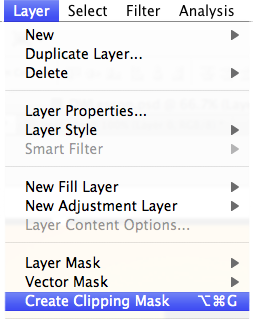
Now you're free to transform your picture however you like to make it fit into the shapes.
Press Ctrl+T (Windows) / Command+T (Mac) to select the Free Transform command.
Resize your picture to make it fit inside the shapes. When you're happy with how it looks, press Enter (Windows) / Return (Mac) to accept the changes.