|
It is a good practice to look at the summary statistics whenever
you analyze a data set. Excel has a tool for this. Select the
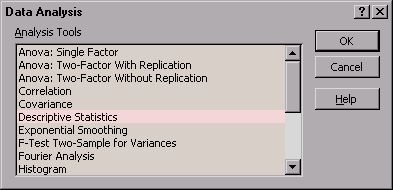
table (all three columns) with labels included. Then select Data Analysis... option from Tools menu. You see the
following dialogue box.
Select Descriptive Statistics and click  . You now
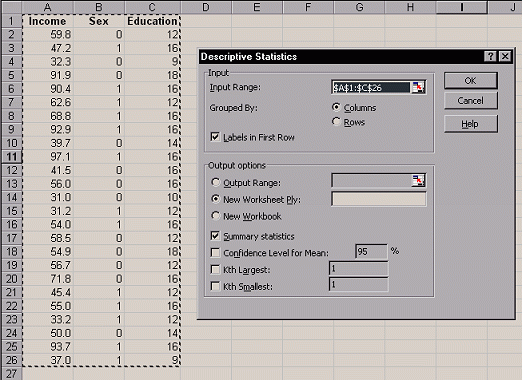
see the Descriptive Statistics dialogue box. You need to make
sure the following options are chosen: . You now
see the Descriptive Statistics dialogue box. You need to make
sure the following options are chosen:
- Input Range
 Is the selected range correct?
Does it include the labels? Is the selected range correct?
Does it include the labels?
- Tick the Labels in First Row
box.
- Output options
New Worksheet Ply
- Output options
Tick the Summary statistics box.
- Click .
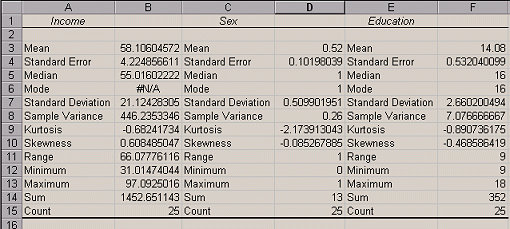
Now you will directed to a new worksheet with the summary
statistics. For the interpretation of the statistics, see
Statistics Refresher
|