| Home | Stone | Wood | Tiles | Paintings | Thief-Based | Others | Tutorials | Tools |

- Tutorial: NVWoodPl02 -
I will now explain how I created the texture NVWoodPl02 (which you can download here).
First, I took my photograph and adjusted the colours to my liking.
I selected everything and used Edit->Transform->Distort to distort the image slightly, making sure that the cracks between the planks were straight.
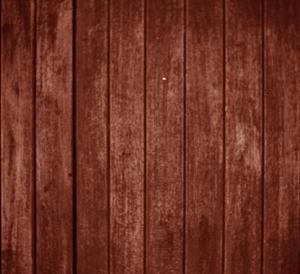
Now, I offset the texture using the Offset filter, so I could see how it wraped.
I selected an area on one side of the hugely visible divide, copied it to a new layer, mirrored it vertically and placed it on the other side of the crack, thus:
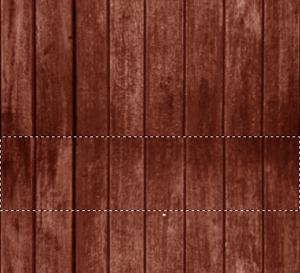
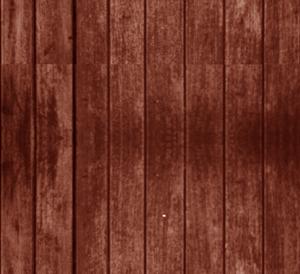
Notice that all this has done is move the major divide to a different location.
Time to add a new mask layer: Layer->Add Layer Mask->Reveal All.
Next, I hid the background layer, selected the Gradient Fill tool, and changed the settings so that I had a basic black-to-white linear gradient.
I drew a line from the top of the copied section to the bottom.
The top half of the mask layer (in the Layers panel) is now black, while the bottom half is white, and there is a thin line of grey between them as the one fades into the other.
On the main image, however, the black portions become completely transparent, while the white portions are opaque, and I ended up with a layer that slowly fades into the background as it approaches the top of the image:
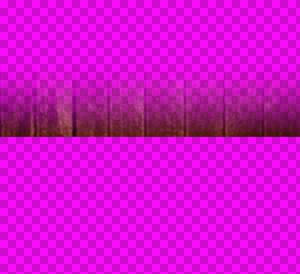
Once the background layer is reactivated, the image looks like this:
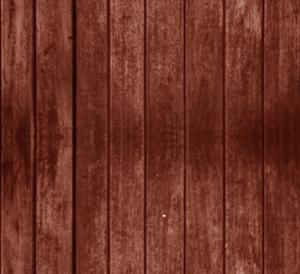
The only thing left to do now was to use the healing brush to touch up the image slightly (such as to remove that white spot near the bottom of the image).
Finally, once the texture is saved, I flatten the layers, resize the image to 256x256, and save it as a seperate file:
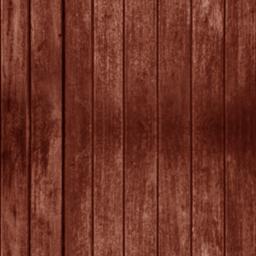
You can download this texture (and several other wooden plank textures) here.
| Home | Stone | Wood | Tiles | Paintings | Thief-Based | Others | Tutorials | Tools |