<H2 align=center>Atlantis: The Case Against Thera</H2>
Atlantis – The Case Against Thera
The second title in blue and also in BOLD
is given as (Optional) define body text size as BASEFONT <BASEFONT Face=Arial Size=3 color=blue> then can use <Font
size=+1> etc or specify text size and style…..1 = small, 3 = normal, 6= large <FONT face=arial size=3 align=left> <Align=left> <Align=right> <ALIGN=Center> <align=justify>FILM PRODUCERS like lost cities. But a
lost city which may lay beneath the ground or beneath the waters of a lake large
enough to be an inland sea is of little use to them as producers also like
ruins. Change background, text color, link, visited link and active link
colors <Body BGColor=maroon text=white link=yellow vlink=olive
alink=lime> Change text color <FONT color="yellow"> Change font, font size and text color <FONT=Arial size=3 color=pink> <FONT Color=black Face=Arial size=7>more text</Font> <B> gives bold…</B> ends bold <I> gives italic…</I> ends italic <P> ends a line and leaves a space before the next one. <U> gives underline…</U> ends underline <B><U> gives bold underline</U></B>
ends bold underline <BR> ends a line to leave multiple line spaces, enter <BR><BR><BR>……. would
give three line spaces or <P> </P> gives extra line spaces ……gives 3 character spaces & gives ampersand & ­ gives soft hyphen – à gives à Á gives Á é gives á é gives é Ñ gives Ñ ñ gives ñ ó gives ó ç gives ç © gives ã To Scroll across text (only supported by Explorer) <Marquee align=middle height=10 width=80% BGcolor=pink scrollamount=3
behavior=scroll scrolldelay=3 direction=left hspace=0 vspace=0
loop=infinite>This text is scrolling </marquee>
<Marquee align=middle height=10 width=80% BGcolor=pink scrollamount=3
behavior=scroll scrolldelay=3 direction=left hspace=0 vspace=0
loop=infinite>here is a picture<IMG
SRC="http://www.geocities.com/myessays/iconblue100.jpg"> of the lost
island</marquee>
To Indent <BLOCKQUOTE> text here, gives indented margins left and right </BLOCKQUOTE> To create a list here is list <OL> <L1> basket of fruit<BR> <L2> peach melba<BR> <L3> vanilla ice<BR> </OL> Definitive list <DL> <DT><B>Candidates for President <DD>Frank James, Jesse James etc </DL> <PRE> gives text as typed ie formatted </PRE> To create a rule line <HR width=50% align=center size=3 noshade>
To create a full widthrule line simply use <HR>
Insert an Image or Pictures … make sure address
gives correct folder or disk The image could be on disk or in webpage folder <IMG SRC="http://www.geocities.com/myessays/iconblue.jpg" width=150
height=100> use IMG align=center align=top or align=bottom command to align caption
text to center, top or bottom of image <IMG align=center SRC="http://www.geocities.com/myessays/blueladies.jpg"
Width=220 Height=130 Border=0> use <br clear=all> to clear following text to a new line <IMG align=center SRC="http://www.geocities.com/myessays/blueladies.jpg"
Width=220 Height=130 Border=0> if no align command, text continues at base of image <IMG SRC="http://www.geocities.com/myessays/blueladies.jpg" Width=220
Height=130 Border=0> Use Img align=left or align=right to wrap text to image <IMG align=left SRC="http://www.geocities.com/myessays/blueladies.jpg"
Width=220 Height=130 Border=0> In fact every single aspect of Plato’s detailed geographic description can be
seen not to be found on Thera. To begin with, it is not even in the right location, after all, Plato said
that Atlantis was "at a distant point in the Atlantic ocean opposite the Pillars of Hercules"
which the Encyclopaedia Britannica defines as the Strait of
Gibraltar. Give more space horizontally either side of image <IMG align=left SRC="http://www.geocities.com/myessays/blueladies.jpg"
Width=220 Height=130 hspace=20>lots of text here is now 20 pixels away
horizontally from image called blueladies.jpg Give more space vertically before and after image <IMG align=left SRC="http://www.geocities.com/myessays/blueladies.jpg"
Width=220 Height=130 hspace=20 vspace=40> In fact every single aspect of Plato’s detailed geographic description can be
seen not to be found on Thera. To begin with, it is not even in the right location, after all, Plato said
that Atlantis was "at a distant point in the Atlantic ocean opposite the Pillars of Hercules"
which the Encyclopaedia Britannica defines as the Strait of Gibraltar To align text beneath image use <BR clear=all> Text between two images <IMG SRC="Worldmaps.jpg" align =left Width=150 Height=100 Border=0> <IMG SRC="Worldmaps.jpg" align =right Width=150 Height=100 Border=0>the
text follows here and appears between the two images Make sure to clear image with <BR> to new line or next image will not
align correctly Image with title, use ALT="title" appears on arrow or link hand <IMG SRC="Crete.jpg" ALT="picture of Crete" width=150 height=100
align=left border=o> to set up a link also see main website <A HREF="http://www.geocities.com/webatlantis"
>HISTORIC ATLANTIS IN BOLIVIA </A> also see main website HISTORIC
ATLANTIS IN BOLIVIA A link with text and picture <A href="http://www.geocities.com/webatlantis"> <IMG align=center
alt=webatlantis height=100 src="http://www.geocities.com/myessays/iconblue.jpg"
width=180><B>Historic Atlantis in Bolivia</B></A> Image as a link amongst text <A href="http://www.geocities.com/webatlantis"> <IMG align=left
alt="webatlantis" height=100 src="http://www.geocities.com/myessays/iconblue.jpg"
width=180></A>
In fact every single aspect of Plato’s detailed geographic description can be
seen not to be found on Thera. To begin with, it is not even in the right location, after all, Plato said
that Atlantis was "at a distant point in the Atlantic ocean opposite the Pillars of Hercules"
which the Encyclopaedia Britannica defines as the Strait of
Gibraltar. Image as a link without text <A href="http://www.geocities.com/webatlantis"> <IMG
alt="webatlantis" height=100 src="HTMLcodeandpictureguide_files/iconblue.jpg"
width=180></A>
Change link colors <BODY BGCOLOR="BLUE" LINK="WHITE" ALINK="WHITE" VLINK="YELLOW"
TEXT="YELLOW"> note alink and vlink should be different colours to background
colour <Body BGColor=white text=navy link=blue vlink=red alink=violet>
Link small picture to a bigger picture <A HREF="large pic.jpg"><IMG SRC="small pic.jpg" width=150
height=100 border=3 ALT="click here for a bigger picture"></A> <A HREF="http://www.geocities.com/myessays/iconblue.jpg"> <IMG
SRC="http://www.geocities.com/myessays/iconblue100.jpg" width=120 height=65 border=3
ALT="click here for a bigger picture"></A> Add clickable text to left of clickable picture <A HREF="http://www.geocities.com/myessays/iconblue.jpg">Click here for
bigger picture<IMG align=center
SRC="http://www.geocities.com/myessays/iconblue100.jpg" width=120 height=65 border=2
ALT="webatlantis"></A> Add clickable text to right of clickable picture <A HREF="http://www.geocities.com/myessays/iconblue.jpg"><IMG
align=center SRC="http://www.geocities.com/myessays/iconblue100.jpg" width=120
height=65 border=3 ALT="webatlantis">Click here for bigger
picture</A> Align clickable picture and also align clickable text top, center or
bottom <P Align=center> <A
HREF="http://www.geocities.com/myessays/iconblue.jpg"><IMG align=center
SRC="http://www.geocities.com/myessays/iconblue100.jpg" width=120 height=65 border=2
ALT="webatlantis">Click here for bigger picture</A> Picture with clickable link beneath <IMG alt="webatlantis" height=183
src="http://www.geocities.com/myessays/iconblue.jpg" width=480> <BR
clear=all> email link Mail me at <A HREF="[email protected]"
>[email protected]</A>thanks
Mail me at [email protected]thanks To Link to a specific part of a page note first go to the relevant part of
the target page, select a word in the destination text eg Pictures and mark the
HTML code with the following code around it <H2 align=center>HTML CODE and <A
HREF="http://www.geocities.com/myessays/HTMLATlantiscodeguide.htm#Pictures">
Pictures</A>GUIDE</H2> note A HREF= in URL titles, no dots commas or spaces in filename except
.com etc Note local picture file could be on floppy disk eg <A HREF="A:/Atlantis–thecaseagainstThera.htm"> <IMG
SRC="A:/Atlantis–thecaseagainstThera_files/Crete.jpg"
ALT="Atlantis-thecaseagainstThera" width=150 height=100 align=left border=o>
</A> Or on main computer disk c harddrive <A HREF="C:/WINDOWS/DESKTOP/my websites/Historic Atlantis in
Bolivia.htm"> Or full URL address <A href="http://www.geocities.com/myessays/myindex.htm"> http://www.geocities.com/myessays/myindex.htm <A HREF="http://www.geocities.com/webatlantis/backgroundpaperblue.jpg"
> In Geocities, to publish homepage (HistoricAtlantisinBolivia) use File
Manager to rename as index.html and the URL address becomes same as chosen site
name <A HREF="http://www.geocities.com/webatlantis"> </A> Create delayed link
<font face=arial
color=blue size=5><B> Atlantis – The Case Against Thera</B>
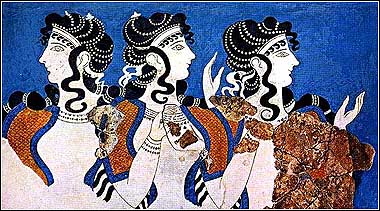 This caption is
aligned to the center of the image but if I write too much the rest comes out
underneath. This caption is
aligned to the center
This caption is
aligned to the center of the image but if I write too much the rest comes out
underneath. This caption is
aligned to the center
of the image and I used <br
clear=all>to continue on a new line Here is some sample text which would now continue underneath the
image.
lots of text here is
now 20 pixels away horizontally from image called blueladies.jpg
the image
is now is now 40 pixels away vertically from above text and the continuing text
is 20 pixels horizontally away from the image called blueladies.jpg
Jim Allen's  Historic Atlantis in Bolivia
Historic
Atlantis in Bolivia
Historic Atlantis in Bolivia
Historic
Atlantis in Bolivia
<A
HREF="http://www.geocities.com/myessays/iconblue.jpg">Webatlantis</A>
<A
NAME="Pictures">Pictures</A> where >Pictures< is the actual word
in the source code and "pictures" becomes the link word on the original page
which will send the programme there.HTML CODE and Pictures GUIDE
i.e. with Geocities site I.D.=webatlantis
site URL becomes
http://www.geocities.com/webatlantis
eg the following code displays an animation for 5 seconds before moving to AtlantisRelatedSites