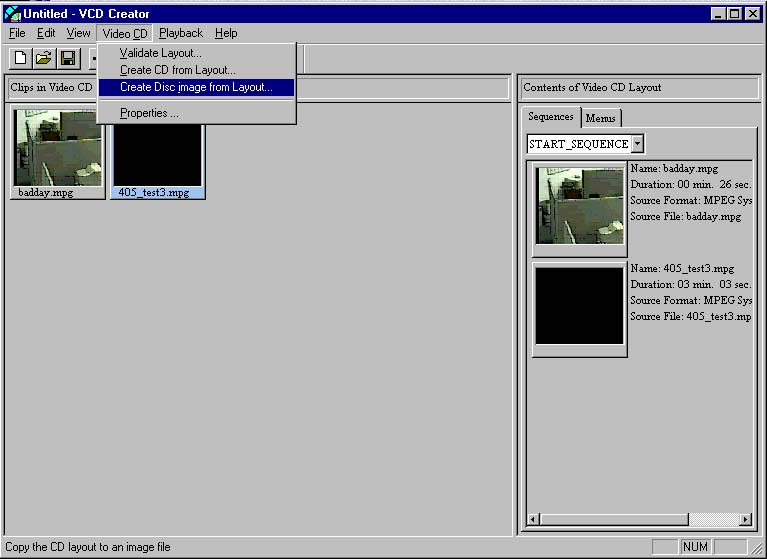
Again a simple process...once you try it that is. Either use the Wizard or not.
Bottom line, you can make a simple VCD like an audio CD, where the tracks are in order and you just skip from track to track (like my example).
OR you can create a Menu based disk, kind of like how DVDs look.
That takes more prep than I wanted to do, but it is possible. My example is the simple foolproof method.
So ADD (note plus sign) the files you want...if the program won't open them, then you can't make a VCD out of them. Then drag them in order of playback into the START_SEQUENCE as shown...The End. |