Technology Requirement
Professional Plan/Proposal
- This Professional Plan gives a step-by-step look at the order in which the workshop will happen. It also gives the materials that will be needed and resources used.
Excel Spreadsheet
This Excel Spreadsheet details the budget I would need to present this workshop. This is assuming the school library already has a lab with 20 computers. I based the number of software titles I buy on this number. I had a possible budget total of $3500 to spend. I ended up using $2517.57 plus applicable taxes.
Presentation Materials
Here is the PowerPoint presentation I would show at the beginning of my workshop.
Here are the different sample KidPix files and KidPix slideshow I would show, following the PowerPoint presentation. It was taking too long to upload them, so I printed them out, scanned them and put the image files online. These will not have the sounds and animation, but you can still get the idea. (Also, my printer's ink was going out when these were printing, so not all the colors are accurate.) These are large bitmap files, so know that they make take a while to load on the screen.
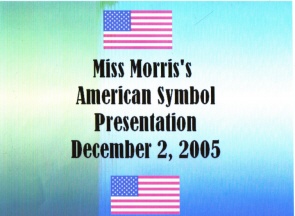
- Title Page - my name, title of project, some images made with "stickers"
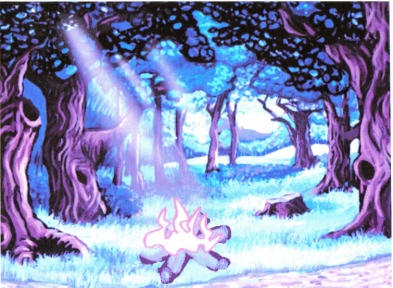
- Introduction Slide 1 - Part 1 of eye catching intro "What if your campfire went from this..." (text didn't print well)
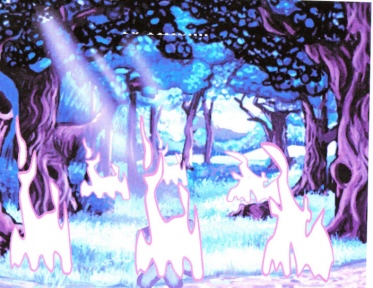
- Introduction Slide 2 - Part 2 of eye catching intro "To this... (campfire out of control) Text did not print.
- My own graphic - My own drawing of Smokey the Bear
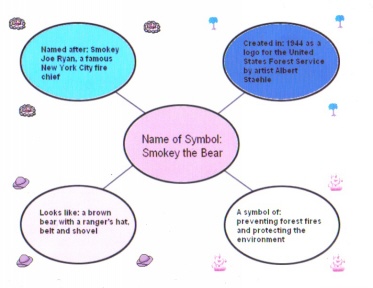
- Idea web (graphic organizer) - A graphic organizer with four thoughts off of the main thought bubble about Smokey the Bear
- Paragraph page - This page didn't print any text because of poor ink quality, so I'm not including the graphic for it yet.
- Conclusion page - "The End" - not much more to it
Here is the Tutorial worksheet the teachers will work through during the interactive portion of the workshop. It is Microsoft Word format.
Here is the Survey the faculty will take after the workshop is over so I can reflect and evaluate my presenation.
Promotional Materials
Here is the "Saturday Workshop Series" flyer that I made to promote this workshop project in Microsoft Publisher format.
Here is the Agenda for the workshop in Word document format.
Back to Top |