 |
 |
 |
| A Player operated & managed Website dedicated to all who love "The Game" and to EA Sports Tiger Woods 2003 PC Golf |
 |
 |
|
 |
 |
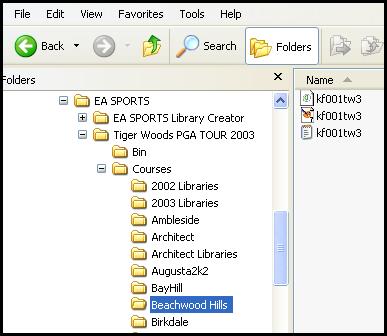 |
| Course Utilities Move Command Part 4a In Part 4 of this series we created a situation in which Beachwood Hills was installed directly to the courses folder instead of into a folder of it's own. Now we will Move all the files from the previous installation into it's own folder and the course will reassociate all of it's library and file references through the use of the "Move" command of the CU. In this exercise we will create a new folder for Beachwood Hills and move the files to the new location and then verify that everything is correct. |
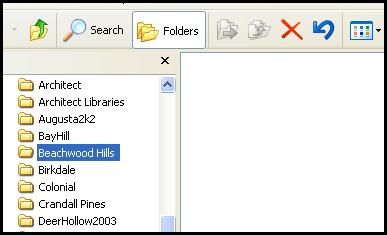
| Beachwood Hills course folder in TW2003 prior to installing the course. It is presently empty. |
| After we created the new course folder called "Beachwood Hills " under"courses" in TW2003 it is now possible to use the move function of the Course Utilities to move the files to that folder. |
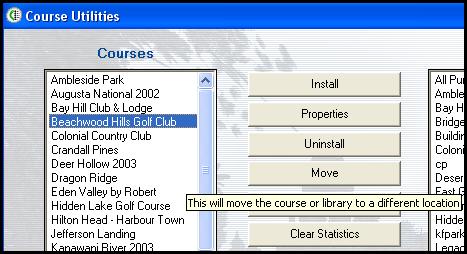
| In order to move the course files you need to select the course itself in the "Courses" side of the CU. Once it is highlighted, click on the "Move" button. |
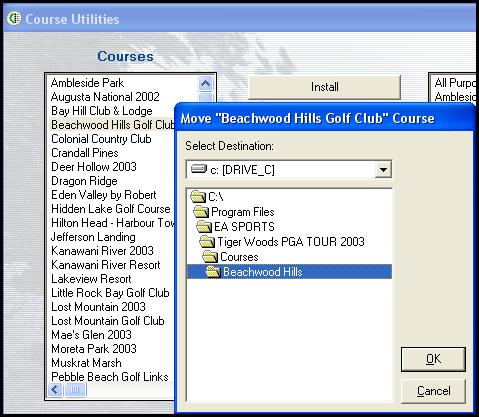
| Selecting "Move" above in the CU opens the " Select Destination " window. Verify that you have the correct course selected to be moved by observing the top of that window and in this case it says....... Move "Beachwood Hills Golf Club" Course Open up the Beachwood Hills folder we made earlier and once it is fully opened with no folders below it click OK and the Move will be completed. |
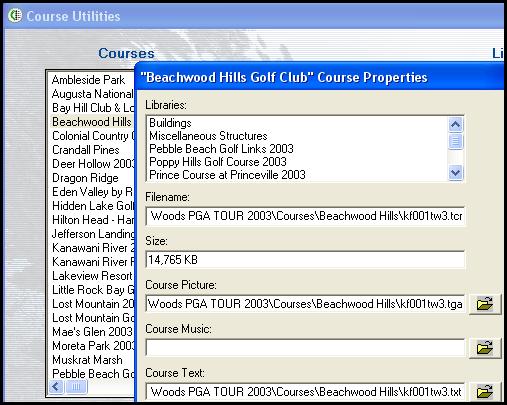
| You can visually inspect the Properties of every course and library installed into TW2003 by selecting that course or library and then selecting "Properties". It's a great tool and a lot of issues can be fixed if you can learn how to utilize it. The "Filename" now shows the kf001tw3.tcx file in the Beachwood Hills folder under courses as it should. The size is correct. The course picture is in the same folder along with the course text. This course shows to have all the libraries it needs at the top and should work fine in TW2003. |
| Here all we are looking at is the actual folder and the files in TW2003. I have no doubt this course will work fine and all the files that were located at the bottom under courses that were related to this course have been moved to it's own folder called "Beachwood Hills". The only thing this course does not have is it's own "Flag.dds" file. But that's easy to take care of using the Flag Depot Link I have provided on the Main Page. |
| The Move function can be utilized in a number of ways. If someone wanted to convert over to utilizing course folders, this would be a great tool to do that particlar job. |
