 |
 |
 |
| A Player operated & managed Website dedicated to all who love "The Game" and to EA Sports Tiger Woods 2003 PC Golf |
 |
 |
 |
 |
 |
| Let's create a situation in order to utilize "The Move Command:" We will install a course directly into courses along with the library and associated files as well if it is included. Some of the players advocate this simple way of doing an installation. After the installation is complete and the course is working in TW2003, then we will create a course folder for it and by using the Move function of the CU move the course and library to the new course folder. |
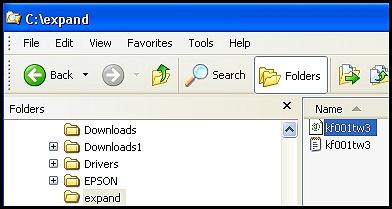
| C:\ expand is simply my temporary folder. Double - clicking kf001tw3.tcx will open the Install Course/Library windows of the Course Utilities. |
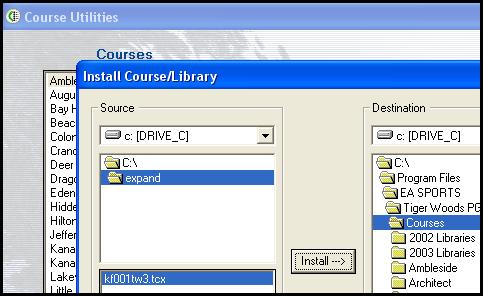
| In this window I have located my C:\expand temp folder and also the kf001tw3.tcx file. It will be installed directly to the courses folder so we can test the Move function later |
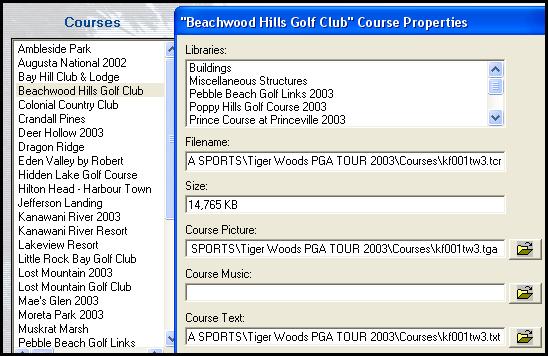
| After installing Beachwood Hills to the courses folder you can verify the locations of the files simply by viewing the Properties after selecting the course in the Course utilities. Notice that all of the files are referenced to the courses folder only. |
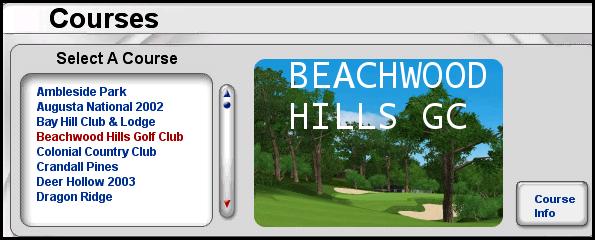
| Below I tested the newly installed course and played a couple holes. |
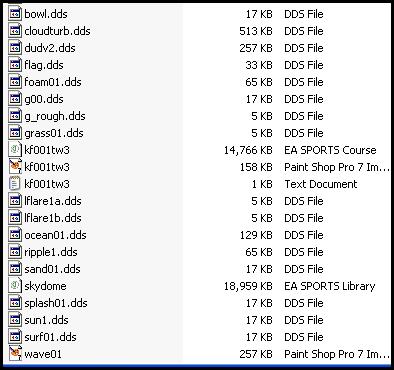
| There are normally 18 files below all the courses unless you install courses directly to the courses folder. I checked the number of files on xp and windows 98.....18 on both starting with bowl.dds thru wave01. Shown on the left are 21 files, 3 of which came from the installation of Beachwood Hills directly to the Courses folder in TW2003. On Part 4a which is a continuation of this tutorial, we will move kf001tw3.tcr, kf001tw3.tga, and kf001tw3.txt to it's own newly created Course folder named Beachwood Hills. In case you haven't figured it out the kf001tw3 files are Beachwood Hills...another KFB designer trait....lol. Please continue to Part 4a below.... |
