 |
 |
 |
| A Player operated & managed Website dedicated to all who love "The Game" and to EA Sports Tiger Woods 2003 PC Golf |
| File associations and locations of those files are created during the installation of a library or course. Changing a course name even by simply adding another letter to a course folder name will cause the association to that files location to be lost. A case in point is changing "Ambleside" folder to "Ambleside2". None of the associated files will be moved in this example. Simply the name will be changed on the course folder. |
 |
 |
 |
 |
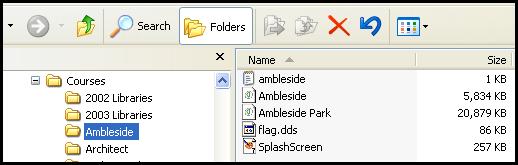 |
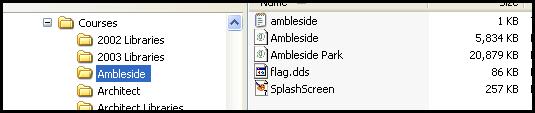
| Here is Ambleside as installed originally. |
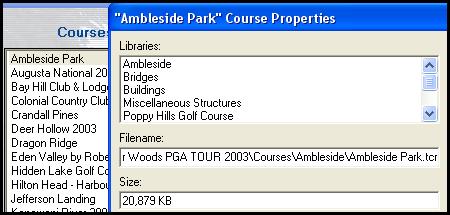
| Ambleside Park Course Properties. Notice that the "Ambleside Park.tcr" is installed in the Ambleside folder under courses. <--------------<<<<- |
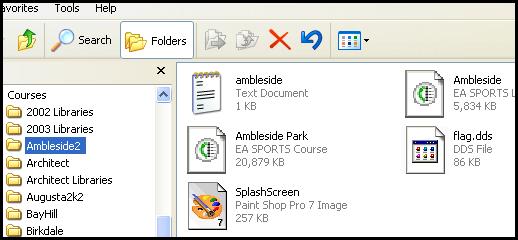 |
| Shown here is the Ambleside Folder after it was re-named to Ambleside2. Nothing else was changed at all. |
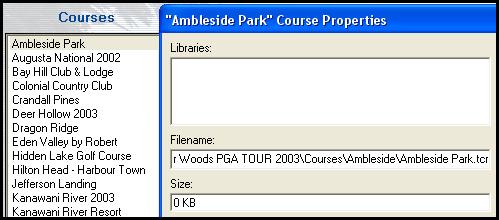
| After the folder name change, notice the difference in the Ambleside Course Properties in the Course Utilities. None of the libraries previously associated with the course are shown any longer and Ambleside Park.tcr is reference located in the Ambleside Folder under "Filename:". Notice also that the size of the file is 0 KB. This course will not work in TW2003 as installed and shown here. |
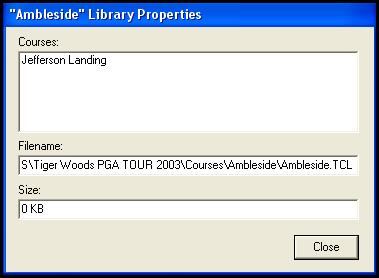
| Carrying this train of thought a bit further, we can see upon opening the Properties for the Ambleside Library file ( Ambleside.tcl ) notice also that the Ambleside.TCL file is still referenced to the Ambleside folder, even though it was changed to Ambleside2. The size of the library file is also 0 KB. It is also used in Jefferson Landing shown in the courses window and it is most likely that a 0 KB size library file will not function for the course named Jefferson Landing. |
| Changing the Ambleside2 folder name back to the original Ambleside repairs all of the file associations. This needed to be discussed so that everyone who uses the Course Utilities realizes how a small change will make a huge difference in this utility and in the game itself. Think what would have happened had a Library file been changed or deleted that was required by many courses. Nothing was moved at all, just a folder name was changed. |
| Moving files from one folder to another or simply re-configuring course files that were installed without the use of a folder for each course can be accomplished through the utilization of the "Move" command in the Course Utilities. Part 4 will include the installation of the TW2003 Beachwood Hills Golf Club course into the courses folder without utilizing a folder name for the course itself. This course was recently released for download and was designed by KF Baker. Part 4a will be a be a tutorial involving the use of the Move command in the Course Utilities. |
