Installing Multilanguage Support on a PC
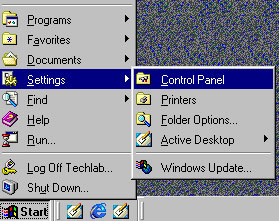
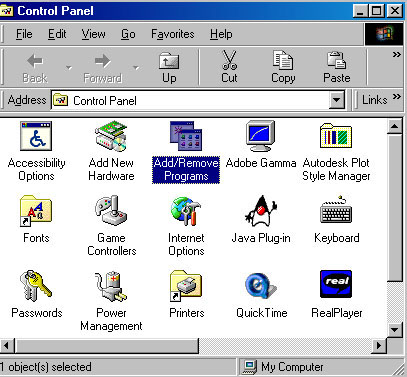
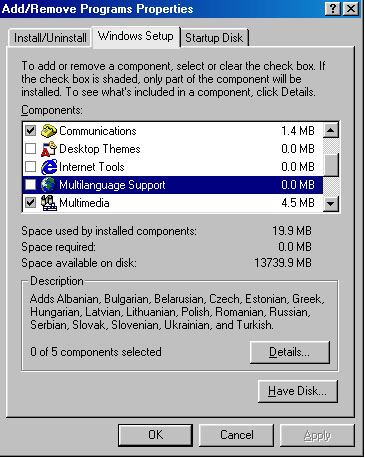
When Add/Remove Program Properties window opens, click the Windows Setup tab to access add/remove component section.
Scroll down the list of components available to your computer system and find Multilanguage Support component.

Windows will now install Multilanguage Support to your computer. You may be preempted to insert a Windows operating system installation CD. In that case, insert a CD from which you initially have installed Windows operating system on your computer. Windows may request that you restart your computer in order to have Mulilanguage Support activated on your computer.
Go back to Keyboard setup page