


1) Copy files to a directory on the computer.
2) Ensure that the main power switch on the back of the receiver is OFF. Plug in receiver.
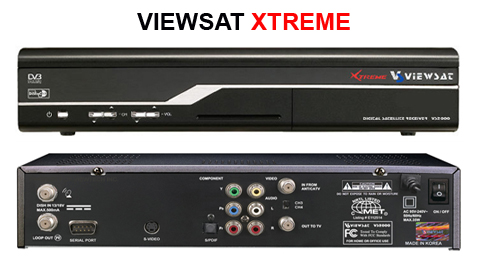
3) Connect computer to receiver with Null Modem cable.
4) Start loader2.exe
5) Click Open Files. Select the latest program file (PGM).
6) Click PC-> STB. Then turn the main power switch on the back of the receiver to ON.
7) See file transfer in process. See front of receiver panel. Percentage downloaded will be displayed. After, it will say INSTalling. When finished, it will say END, then 0000. You must wait till this process finishes.
8) Turn main power switch to OFF.
9) Connect Satellite cable and TV cables to receiver.
10) Turn main power switch to ON. Turn receiver on.
11) Ensure autoroll is ON. It may take up to 15 minutes for the any new Encryption keys to be found. You should still be able to view unencrypted channels and view channel guide.