


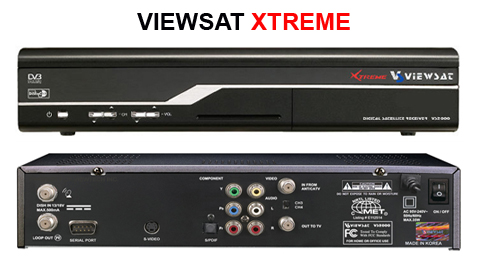
1) Find the keys. At www.HashHU.com or wherever... Here is an example:
Bell ExpressVu
Last Update:
10-27-06 2:43 pm
Key 0: Active
6A 77 04 91 58 1D 0C 41
EA FD 0B F5 27 02 D1 0C
Key 1:
49 C8 46 22 EB E6 78 8E
43 88 AD B1 C8 AA EA 51
DishNetwork
Last Update:
10-27-06 11:04 pm
Key 0: Active
E6 80 E6 01 DB 7D EE 4D
9B 12 EC 90 62 27 AD 26
Key 1:
60 77 1C 7E 27 D2 F4 80
50 5E 4A A2 68 03 F2 CD
2) Manually enter the keys into the receiver. Select Menu, User Setting, Code Menu, CAS=Nagra.
For Dishnetwork, scroll to Dish 01 01 00.
For Expressvu, scroll to BEV 08 01 00.
3) Update lines 08 and 09 with Key 0.
4) Update lines 88 and 89 with Key 1
With the above key example, for dishnetwork to work now. It should show:
08 E6 80 E6 01 DB 7D EE 4D
09 9B 12 EC 90 62 27 AD 26
88 60 77 1C 7E 27 D2 F4 80
89 50 5E 4A A2 68 03 F2 CD
Use F1 for "A", F2 for "B", F3 for "C", F4 for "D", PrevChannel button (below 9 button) for "E", Help button (above SAT button) for "F".