|
Page 1
2 3 |
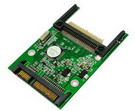 |
1. Enable Compact Flash (CF) to be used like
ordinary 2.5” SATA hard drive.
2. Compatible with CF I/II.
3. SATA interface.
4. Mounts directly onto notebook 2.5” SATA connector.
5. CF Card can be the primary bootable device containing the OS
and applications. More |
|
CF to SATA |
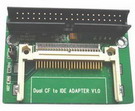 |
1. Enable Compact Flash (CF) to be used like
ordinary 3.5” IDE hard drive.
2. Compatible with CF I/II.
3. IDE interface.
4. Handy for use as noiseless harddisk.
5. CF Card can be the primary bootable device containing the
OS and applications. |
|
CF to IDE-40 pin |
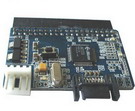 |
1. One 40 pin IDE port
2. One Serial ATA port
3. One 4 pin power connector
4. Converts Parallel ATA to Serial ATA
5. Supports ATA 100/133
6. Compliant with Serial ATA specification |
|
IDE to SATA |
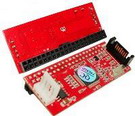 |
1. One 40 pin IDE port
2. One Serial ATA port
3. One 4 pin power connector
4. Converts Serial ATA to Parallel ATA
5. Supports ATA 100/133
6. Compliant with Serial ATA specification |
|
SATA to
IDE |
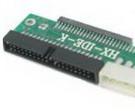 |
1. One IDE 2.5" port
2. One 4 pin power connector
3. One 40 pin IDE connector
|
|
IDE 2.5"
to IDE 3.5" |
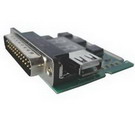 |
1. Can use in a laptop model
computer with mini-PCI slot or LPT (printer port) connection.
(Device must be powered by USB). .
2. With this card
in hand, you no longer have to go through tedious and time
consuming process of trying to figure out what is wrong with
your hardware
3. Notebook Diagnostic Card will indicate exactly what is
wrong with your notebook in just seconds.
4. POST Codes can
be displayed through the hexadecimal display panel
5. Easy
to install, yet extremely powerful to use. |
|
Notebook Diagnostic Card |