| Gettin' Started |
| First of all your going to do is download a couple of things Lucky for you, i did all the searching for you! |
| 1 The program well be usin download here |
| 2 2nd we need some programs that Hammer will run get here... |
| next we run the hammer installation and install to c:/Hammer or whatever letter drive u have |
| 3 Next we unzip the zoners half life tools to c:/zonersHLtools thats right make a new folder called zonersHLtools and unzip in there |
| 5-running the program Run hammer and it will ask you if you want the wizard to help you set up, say no because i am the wizard |
| 6 Now we will configure hammer to run for counterstrike such as how it will make your map what textures will u be using and stuff like that. |
| 4 we need an unpacking program called wally i have it right here, you dont have to wait in lines or sign up for anything, !your welcome! |
 |
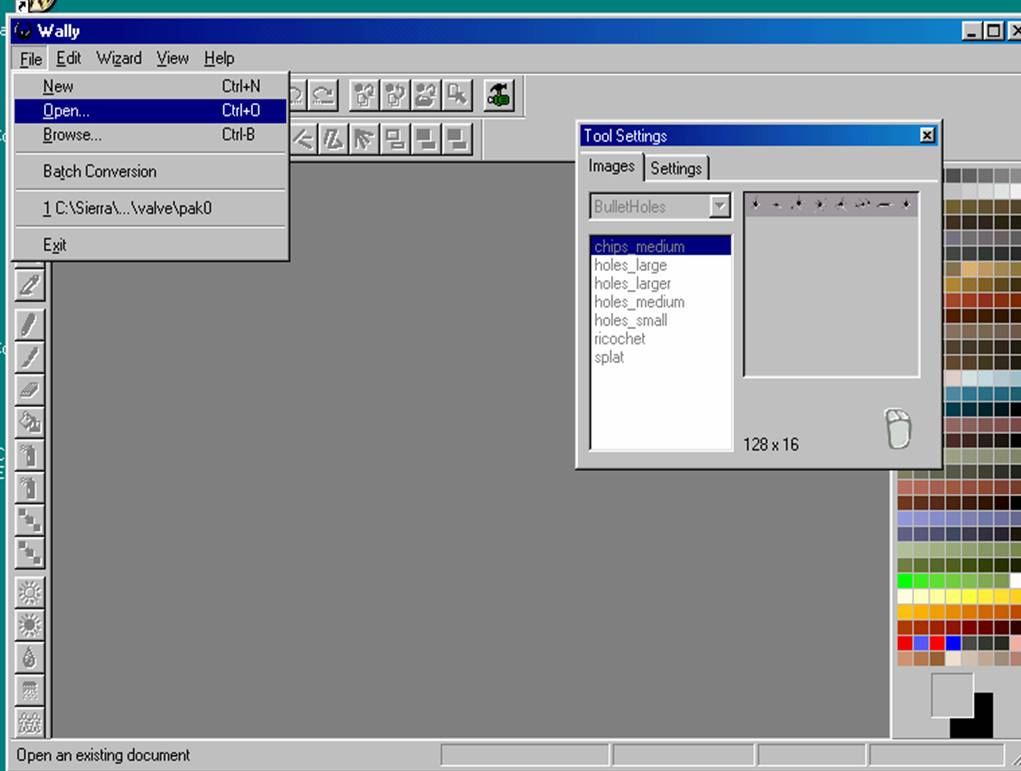
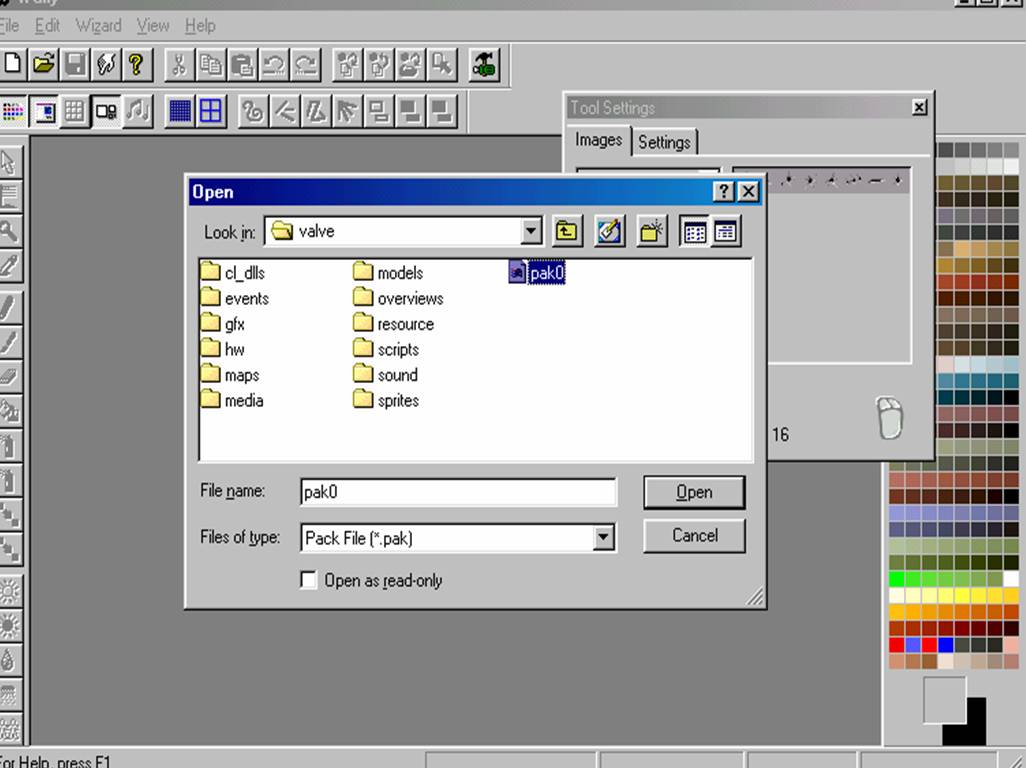
| 4 continued unzip wally anywhere and run it.click open in file at the top. go to your valve folder where counterstrike or half-life is installed. Then click on pak0.pak and press open. Then Right click on the sprites folder and click export. Then the destination box will appear make it export in your valve folder wher ecounterstrike or half-life is. then click ok. Now proceed to next step |
 |
 |
| *WARNING* My way of making counterstrike is for versions of counterstrike 1.5 and below your on your own working with 1.6 i suggest you use at least 1.5 |
| *WARNING* I am not responsible for what happens to you or your computer |