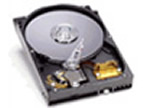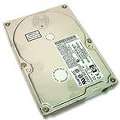
The Hard Disk Drive is where all of the work and programs are stored on the computer. Todays modern Adds have massive capacities, the average new PC comes with a 40 to 120GB drive.
The HDD is made up of a sealed unit with a micro filter to stop dust getting in and to keep it at atmospheric pressure. Inside the sealed unit the drive consists of a glass disk coated with metal called Platters. Each platter has two read/write heads one on top and one on the bottom. The faster the Platters spin the faster the drive. Hard Drives Spin at speeds from 3,500rpm to the new faster drives of 10,000rpm. Below is a picture of the drive with the cover removed.
When fitting the hard drive to a computer you have to set up the jumper on the drive, this Jumper is connected a series of pins located next to the IDE connector with one or two small plastic Jumpers. The Jumpers are metal inside and connect two pins together and tells the Drive whether it’s the Master or Slave on the IDE ribbon. On the drive will be a diagram explaining where the jumpers need to be set.
The reason you need to set the drives as Master and Slave is because the IDE cable only supports two drives. If you have two drives they need separate identities or the computers BIOS (Basic Input Output System) will fail to find them on boot up and they won’t work.
Once you have the jumpers set correctly for your machine, you need to connect the power and IDE cable. The power connector is called a Molex and consists of for wires, two blacks, one red and one yellow. If you look at the connection it is shaped like a D and therefore can only go in one way. The IDE cable is a is a ribbon with 40 pins. The cable is plugged into the Motherboard and on the cable it’s self are two connections for two drives Master or Slave. Each connection itself has a little square block so that you can't connect it the wrong way around.