|

|
*~*An
African Christmas
*~*
written by Jeanne
for me.
Thank you very very
much, Jeanne !!

|
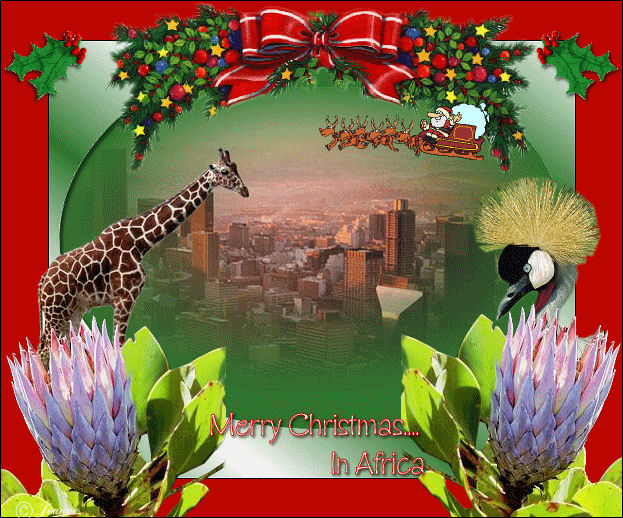
Jeanne's original
animated Dutch
tutorial can be viewed
here.
The tutorial was created
in PSP 9.
MATERIALS NEEDED:
Download the supplies
here.
(File size 1,260 kb)
THE COLOR PALETTE
Foreground color
#2e762d
Background color - white.
Make a gradient:
Style - Linear
Angle - 38
Repeats 2
Invert - unchecked.
Open a new transparent
canvas, size 600 x 450
pixels.
Fill with the foreground
color.
Copy and paste the tube
'Joburg' as a new layer
onto the canvas.
Image - Picture Frames -
Oval.
Select the white part of
the picture frame
with the Magic wand and
fill with the gradient.
Layers - Merge - Merge
All.
Image - Add Borders: 1
pixel black.
Layers - Promote
Background layer.
Image - Resize: 85%.
Click with the Magic Wand
in the transparent area.
Change the foreground
color to #bc0500
Fill the transparent area.
Selections - Select None.
Copy and paste the tube
'PineWreath'
onto the canvas.
Image - Resize 80%
('Resize All Layers' =
unchecked).
Move it to the top as seen
in the example.
Copy and paste the tube
'paradijsvogel' onto the
canvas.
Image - Resize 80%
Image - resize 90%
('Resize All Layers' =
unchecked).
Move it to the right.
Copy and paste the tube
'giraf' onto the canvas.
Image - Resize 80%.
Move it to the left as
seen in the example.
Copy and paste the tube
'bloem' onto the canvas.
Image - resize 80%.
Move it to the bottom
left.
Layers - Duplicate.
Image - Mirror.
Activate the Eraser tool
and carefully erase the
part behind the flower.
Copy and paste the tube
'hulst' onto the canvas.
Move it to the top right.
Apply a drop shadow:
H & V 2 / Opacity 100 / Blur 5 / Color black.
Layers - Duplicate.
Image - Mirror.
Layers - Merge - Merge
All.
Image - Add Border: 1
pixel black.
Layers - New raster layer.
Activate the Text tool and
choose a nice font
such as 'GillesGotLig',
size 30,
which was used in Jeanne's
tag example.
Position it where you like
it.
Add your name or watermark
and the tag is done.
Now you can
add the animation if
you want! :-)
©Jeanne
All Rights Reserved
Please take a few
minutes to write
a message in
Jeanne's Guestbook.
Thank you kindly.
Back to Index

translated on the 30th
December 2006

The graphic
design of this page is
copyrighted to
©Magstags - All Rights
Reserved.
Home |
Filter Links |
Email |
Terms Of Use |