|

*~*My
Lovely Valentine
*~*
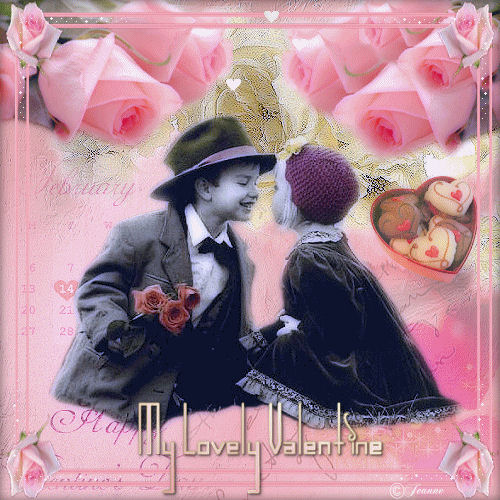
Jeanne's original
ANIMATED Dutch
tutorial can be viewed
HERE.
The tutorial was created
in PSP 9.
MATERIALS NEEDED:
Download the supplies
here.
(File size - 4,745 kb)
FILTERS NEEDED
Filter Xero -
Porcelain
THE COLOR PALETTE
Change foreground color to
white and then gold
pattern.
Background color on
#ee9aac,
and then gradient:
Style - Linear
Angle - 38
Repeats - 0
Invert - unchecked.
Open a new transparent
canvas, 500 x 500.
Fill with the gradient.
Selections --> select All.
Add a new layer.
Copy the ' Jeanne_ag4'
image and paste into the
selection.
Change the layer's opacity
to 42% in the Layers
palette.
Copy and paste the tube '
Jeanne_zijde_roos'
onto the canvas.
Image --Mirror
Adjust --> Sharpness -->
Sharpen
Drag it to the top right
of the canvas.
Copy and paste the tube '
Jeanne_roses' onto
the canvas.
Image --> Resize --> 2 x
75%.
Drag it to the top left.
Layers --> Duplicate
Image --> Mirror.
Shift it slightly higher (
see example)
Layers --> Duplicate
Image --> Resize 75%
Drag it slightly over the
roses.
Copy and paste the tube '
Susan T 2574' onto
the canvas.
Image --> Resize 85%.
Drag it to the bottom
right -
but keep the date visible.
Adjust --> Sharpness -->
Sharpen.
Copy and paste the tube '
Jeanne_jongen_meisje'
onto the canvas.
Image --> Resize 85%
Adjust --> Sharpness -->
Sharpen.
Copy and paste the tube '
Susan T 2575' onto the
canvas.
Drag it to the bottom
right.
Change the Blend mode to '
Soft Light' in the
Layers palette.
Copy and paste the tube '
Susan T 2573' onto the
canvas.
Image --> Resize 2 x 60.
Change the layer' s
opacity to 70%.
Drag it to the right.
Layers--> Merge --> Merge
All.
Selections --> Select All.
Effects --> 3D Effects -->
Cutout:
H & V = 0
Opacity = 70
Blur = 15.00
Color = black.
Add a new layer.
Selections --> Select All.
Copy the ' Jeanne_lijst
met rozen' image
and paste into the
selection.
Adjust --> Sharpness -->
Sharpen.
Deselect.
Copy and paste the text
tube onto the canvas.
Apply a dorp shadow.
Merge all layers.
Add your name or
watermark.
Click
here if you want
to animate the image.
And you're finished :-)
Please take a few
minutes to write
a message in
Jeanne's Guestbook.
Thank you kindly.
Back to Index

translated on the 30th
December 2006

The graphic
design of this page is
copyrighted to
©Magstags - All Rights
Reserved.
Home |
Filter Links |
Email |
Terms Of Use |