|

*~* She
*~*
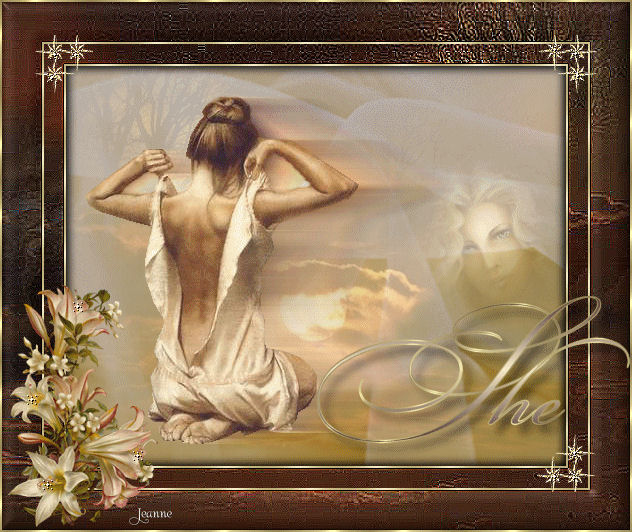
Jeanne's original animated Dutch
tutorial can be viewed
here
Image
filesize = 407Kb
This
tutorial was done in PSP 9
But can also be done in
any other version.
Download the supplies
here.
(File size - 650 kb)
THE COLOR PALETTE
Change the foreground
color to #4e2e31,
background to
#f6ecc8.
Change the foreground
color to gold pattern/
Background on gradient:
Style - Linear
Angle - 0
Repeats - 1
Invert - checked.
Open a transparent canvas,
500 x 400 pixels.
Selections --> Select All.
Add a new layer.
Activate the bottom layer
in the Layers palette.
Copy the image 'sf97'
and paste it into the
selection.
Image --> Mirror.
Selections --> Select
None.
Click on the image
'MD_voile'.
Adjust --> Hue and
Saturation --> Colorize:
Hue :33
Saturation: 150
Apply.
Click on the second layer
in the Layers palette.
Copy the image ' MD_voile'
and paste it onto the
canvas as a new layer.
Reduce the opacity of this
layer to 64%
in your Layers palette.
Selections --> Select
None.
Copy the tube 'teddy1'.
Paste it onto the canvas
and move her to the left.
Duplicate this layer in
the Layers palette.
Click on the 3rd layer in
the Layers palette..
Effects --> Distortion
Effects --> Wind:
Windstrength - 100
left - checked.
Layers --> Merge --> Merge
All.
Selections --> Select All.
Effects --> 3D Effects -->
Cut Out:
H & V - 0
Opacity -100
Blur -15.00
Color - black.
Repeat the effect 1x.
Selections --> Select
None.
**Image --> Add
Border: 1 px in background
color.
Select with your Magic
Wand and fill with the
gold pattern.
Selections --> Select
None.**
Image --> Add Border: 25
pixels in background
color.
Select with the Magic
Wand.
Copy the image 'sf97'
and paste into the
selection.
Effects --> Edge Effects
--> Enhance.
Repeat 1x.
Selections --> Select
None.
Repeat from ** -
**
Add a 40 pixel border in
the background color.
Select with the Magic
Wand.
Copy the image 'sf97'and
paste it into the
selection.
Effects - Edge Effects -->
Enhance.
Repeat 1x.
Effects --> 3D Effects -->
Inner Bevel:
Bevel - 2
Width - 15
Opacity - 5
Depth - 5
Ambiance -5
Shinniness - 30
Angle - 315
Intensity - 26
Elevation - 55
Color - white.
Selections --> Select
none.
Repeat from **
to **.
Copy and paste the star
corner onto the canvas.
Move it into position.
Apply a drop shadow: V & H
8
Opacity 50
Blur 12.00
Color - black.
Duplicate this layer in
the Layers palette.
Image --> Mirror.
Copy the tube ' cc2'
and paste it on the
canvas.
Move it to the bottom
left.
Apply a drop shadow.
Activate the Text Tool.
Find a font with nice
curls
( Bickham Script Fancy 2,
size 100, worked well).
Type some text.
Apply a drop shadow.
Merge all layers.
Resize it if you want to.
Add your watermark.
You're finished :-)
You can add the animation
now in Animation Shop.
Click
here to do it.
Enjoy !
Please take a
few minutes to write
a message in
Jeanne's Guestbook.
Thank you kindly.
Back
to Index


The graphic
design of this page is
copyrighted to
©Magstags - All Rights
Reserved.
Home |
Filter Links |
Email |
Terms Of Use |