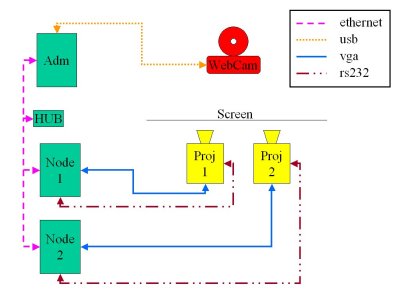
Connection Scheme
PostDoc Research
Proposition:
Development of an automatic color and
brightness calibration system for multi-projection display
walls.
Researcher:
Luciano
Pereira Soares
Advisory:
Prof.
Joaquim Jorge
Collaboration:
Ricardo
Jorge Jota Costa
Bruno
de Araujo
Local & Period:
This research project was developed at the INESC-ID main building and at the TagusPark campus
of the Instituto
Superior Técnico. It started at the September, 1st and
finished at November, 30th of 2005, also there was a short visit period
in February of 2005.
Problem:
The power wall (LEMe
Wall) developed at the Instituto
Superior Técnico uses a matrix of commodity projectors,
these projectors present a severe differences in color and brightness
reproduction. Beside, other color effects coming from the screen,
computers and room environment increase the color and brightness
shift among projection tiles, delivering an heterogeneous image for the
user.
Procedure:
Get the power wall images through a
web camera, discover the equation to correct the colors and
brightness and feed the computer with this equation. There is
one program running in the administration computer node which gets the
images and proceed with the calculations. After each cluster node
receives, across the network, the new calibration and stores it in
the graphic card for a normal operation.
Connection
Scheme
|
Study and discover the color and brightness calibration techniques |
|
Look for a development environment and start an application |
|
Develop an simple application that just gets the colors and inform how to proceed the calibration manually |
|
Complete the application enabling it to calibrate the computer (and even the projectors*) |
|
Produce an article for a conference in the field. |
Progress:
Related literature
Many publications regarding color, brightness and contrast calibration were studied during the postdoc. In the Stone paper[1] there is an overview of tiled display technologies and a chapter covering the question of black offset. In Majunder et. al. [2] paper, we found a better focus in color and brightness calibration, it deals with complex mathematics and it is not clear in the paper how this solution is able to deal with real time visualization applications, also it used very sophisticated system that are very expensive, like the spectroradiometer. An overview of the ICC specification [3] was done, that will lead to a better understanding of the file format, that is an standard for color correction, although it is not going to be used since the graphic cards dos not fully support this resource. The Hereld paper [4] talks about tiled projection systems, and cover gamut matching, they are also using cameras but they do the calibration in the projectors, they talk about ICC but don't get into details. The other Majunder's paper [5] gives some clues about what is important for future active areas of research in color and brightness calibration, like user tracking and calibrations during operation.
Development decisions
After an investigation of the tools
available, there are few option to implement the solution. The tools,
or APIs, for web cameras are not a standard in C++, then there were
many ways to implement and depends on the camera manufacturer. Java
although supports a standard multimedia environment called JMF
that supports web cameras and it is not hardware dependent.
Java
also has a native support for ICC, but there are very few
documentation on it, and basically no one sample for reference, with
few tests I could read and write some files, but I was unable to
change the content (an small sample that I did
is here). There are also two libraries in C++ to deal with ICC
file format, one is ICCLib,
but it is too old. The other one, is the SampleICC,
it was developed in VisualStudio,
I was afraid about portability since we intend to use Linux,
but after some revamp in the code it compiled on Linux and runs in
Cygwin as well. The code
modifications are in the code
section.
Another important point regards the user interface,
since Java is very good to create nice user interfaces I decided to
use Java to develop the server application to run in the master node.
The java application gets the camera picture and proceed the
calibration calculations.
For communication I am using
sockets
that is simple and powerful enough, and the protocol used for
communication is based in XML.
Instead of using a parser for XML, I decided to develop a simple one
from scratch, creating something lighter for the cluster. The camera
application, developed in Java, acts as a server, and then the
daemons, developed in C++, running in the cluster nodes start to
connect with this server. With this approach the application does not
need to know each computer prior to start the application. As each
computers connect, it is included in a list showing their
hostname.
For graphical display OpenGL
has all the features need to display the patterns. It is possible to
generate the solid color and the lines and patterns for the geometric
calibration.
The development platform used to access the
Java and C++ code in a easy way is the Eclipse.
It presents many important tools enabling a quicker development
Development
At the beginning we decided to use
camera to capture and create a ICC file to be loaded by the graphic
cards to calibrate the brightness and colors. But the first big
problem in this project is the fact that the nvidia
panel, doesn't support very well ICC formats. As you can see, in
the ICC
Profile Inspector the tone curve is in one way, but in the nvidia
it is in a different position, what happens is that the nvidia swaps
the axes, then for sure it doesn't work. Since I can't remove
the last point in Y axes, that in the nvidia is X, (Look at the top
right conner, there is a point that makes all 100% light in 100%
output) then a can't dim the light. Then we abort for a while the ICC
output.
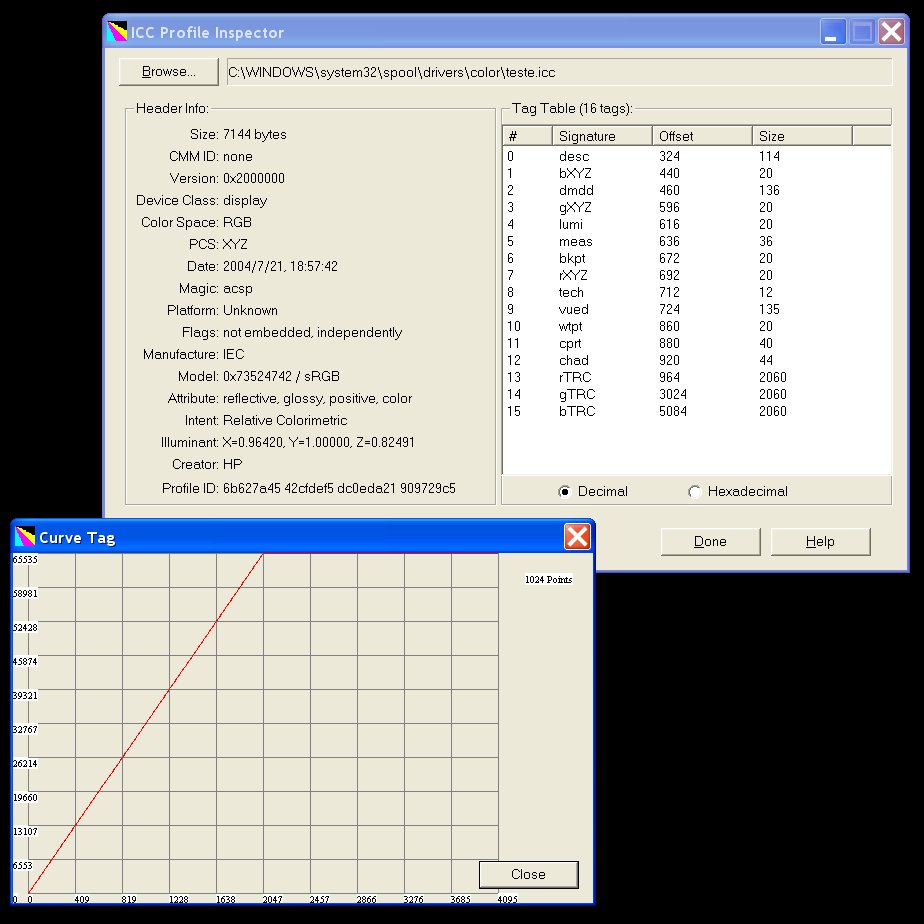
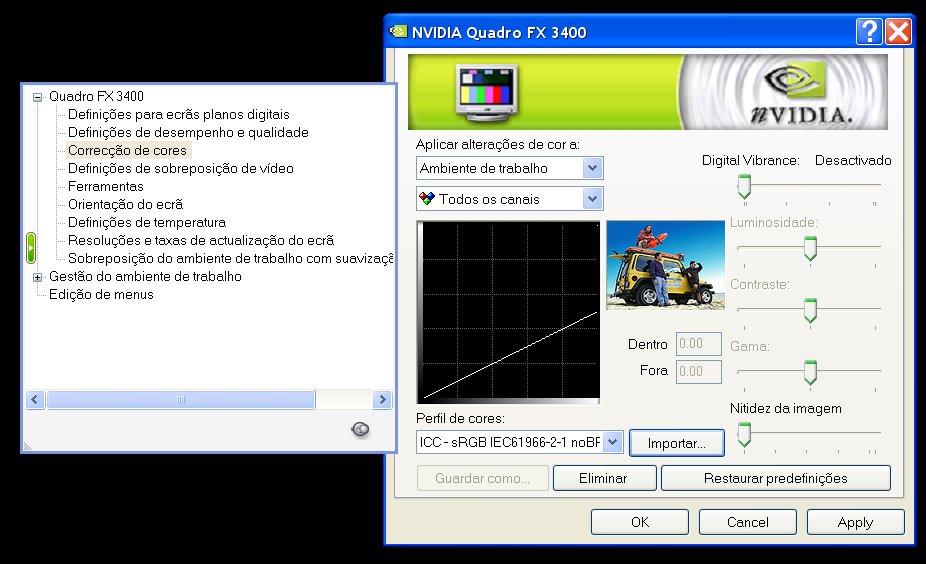
image
from ICC Profile Inspector and NVidia Panel
But in Linux,
we found one solution that is based in the file ~/.nvidia-settings-rc
that has some commands for color/brightness/contrast control, and a
call to nvidia-settings with the option "--load-config-only"
change the parameters very fast, and also the parameters
"--config=<any file>" enables the creation of a
different file to calibrate the colors. From this point I decided to
look into this code, and create a entire new application to load the
calibration.
After I while I discovered the extensions in X11
to deal with gamma configuration, the functions are the following:
In the server application, the camera
was connected to the application and the image stream was got. To
have a better use of the images, the camera parameters were modified
through the JMF, but I was not able to find how to change this
parameters on-line, inside the application. Then every time I wish
modify the camera calibration, I have to live the application and
change the camera parameters manually.
The first step in the
calibration was to discover each tiling region. We developed an
algorithm used to subtract two images, one with the projector fully
bright, and other fully black, and looking for the borders each image
line it was possible to discover the edges. After a scan line
algorithm was used to find each pixel corespondent each projector.
One problem regards the room environment since wall, chairs, tables
reflect the projection light and create too many noise for the
calibration. Look at the following picture, it is possible to see
that the ceiling is brighter because the reflection, to solve the
borders detection issue we look for abrupt brightness changes, since
the light in the ceiling is smooth, it is not catch by the algorithm.
subtraction
from black and white image
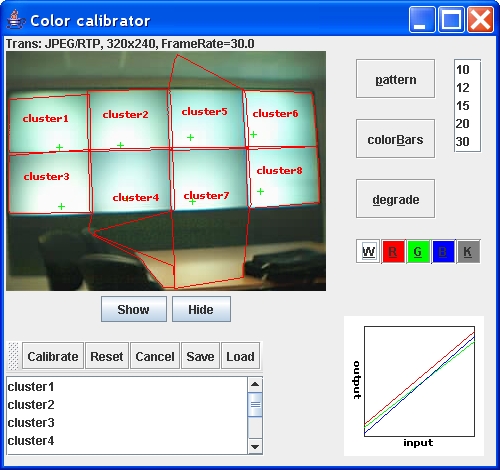
During the visualization, after
each projector tile being detected, there is red wire frame with
the computer hostname over the captured image, matching with the
projector tiles. This was possible using a glass
pane over the camera image.
Another problem is related
with the camera, that depending on the position it has a different
effect from the brightness acquisition this is because the lens is
brighter
when it is straight to the light focus, creating then some bright
effects.
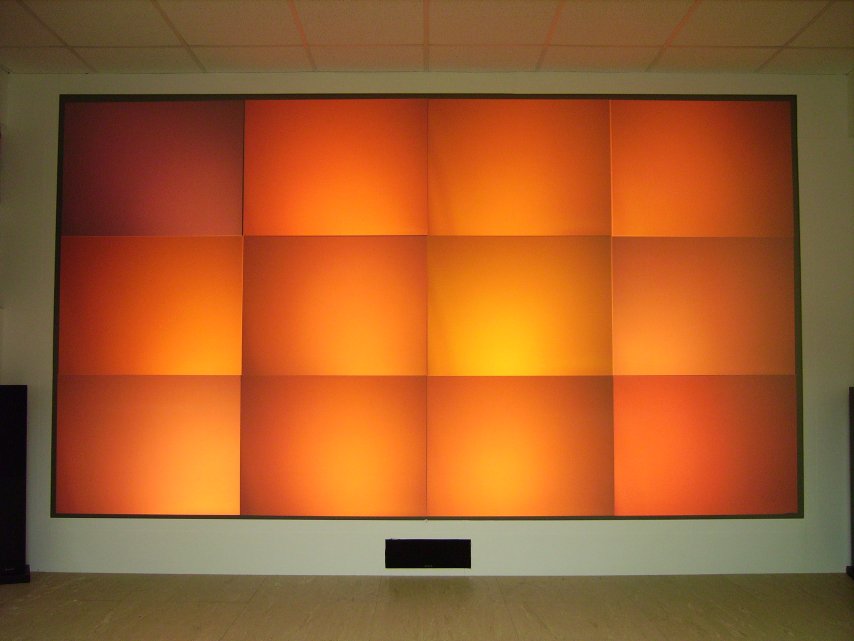
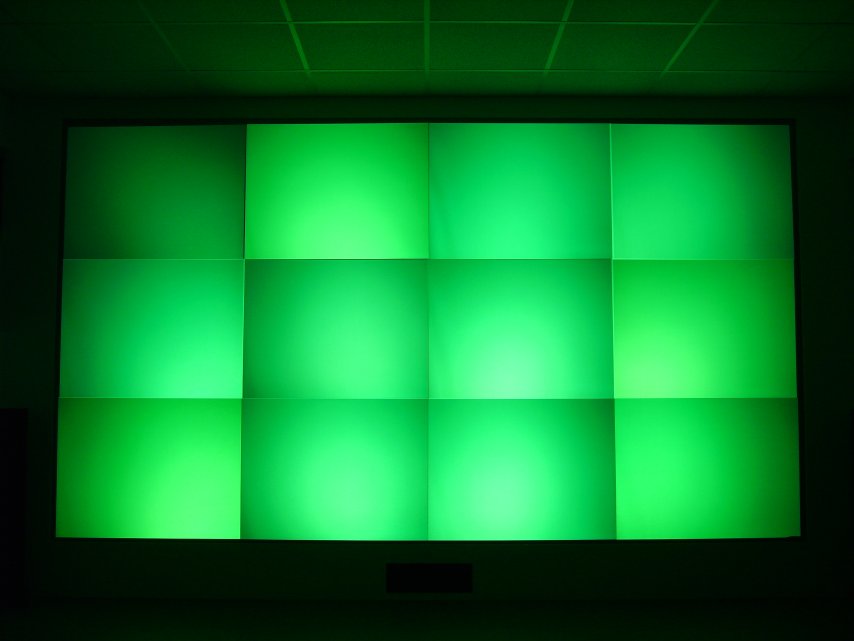
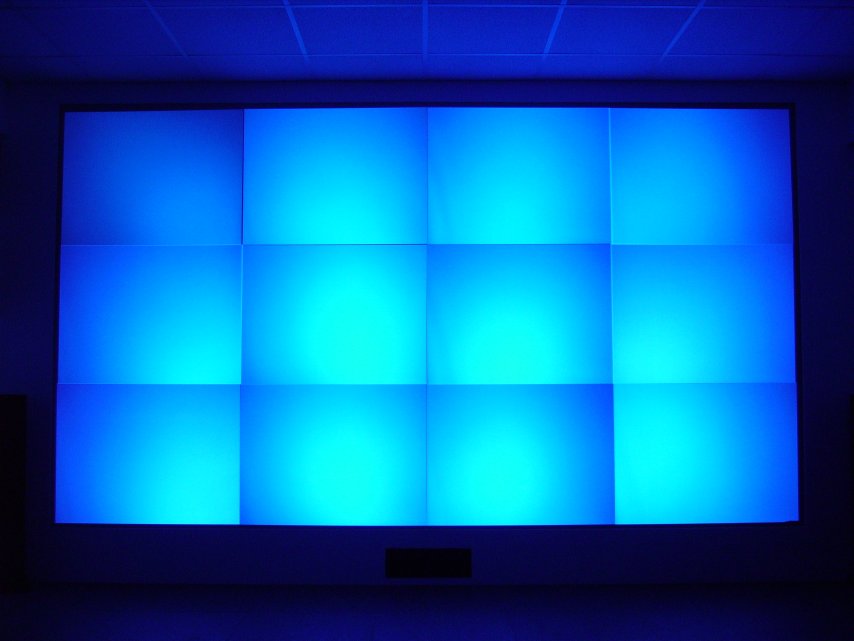
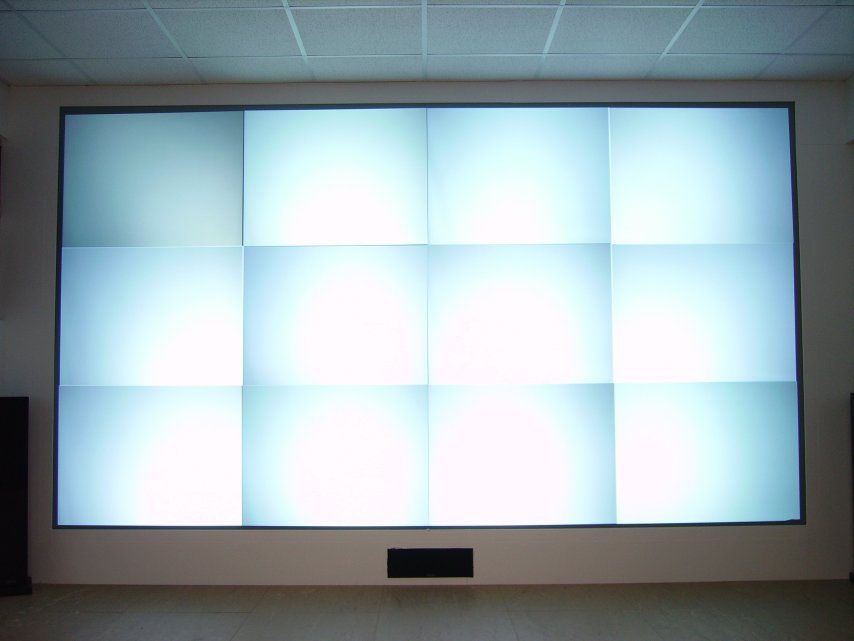
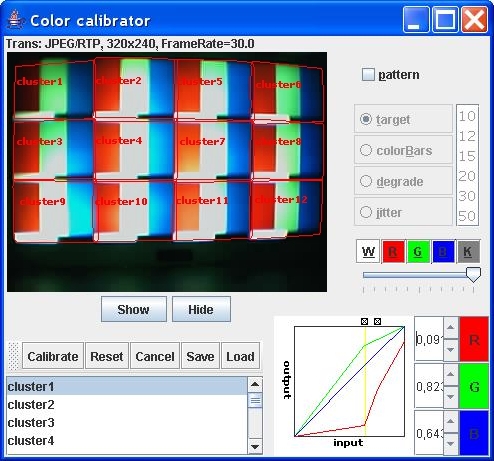
During the operation, the primary colors are
displayed in the power wall. As you can see in the images, we have a
severe hot-spot problem, then a cosine curve equation is used to
correct the brightness deformation, as the pixels get away from the
screen, we already know how it decrease. Finding the center of
projection is quite simple since we can discover the brightness point
in the image.
|
|
|
|
|
The RGB and White colors projected.
These images were taken by a high resolution camera.
Also
we decided to include commands for a manual adjustment, this controls
enable the user to control each gamma curve achieving a more precise
result. Since we find difficult to change many parameters at the same
time, the user interface enable just increase and decrease 8 points in
the gamma curve of each color, thta are the same points used in the
automatic calibration.
Technical Report:
The following tech report presents the research in a more formal
presentation. It is delivered in a pdf format that is easer for
printing.
techreport.pdf (if you need acrobat reader)
Pictures:
Here are the snapshots that I
got during the software development:
|
|
|
|
|
first version |
second version |
last version |
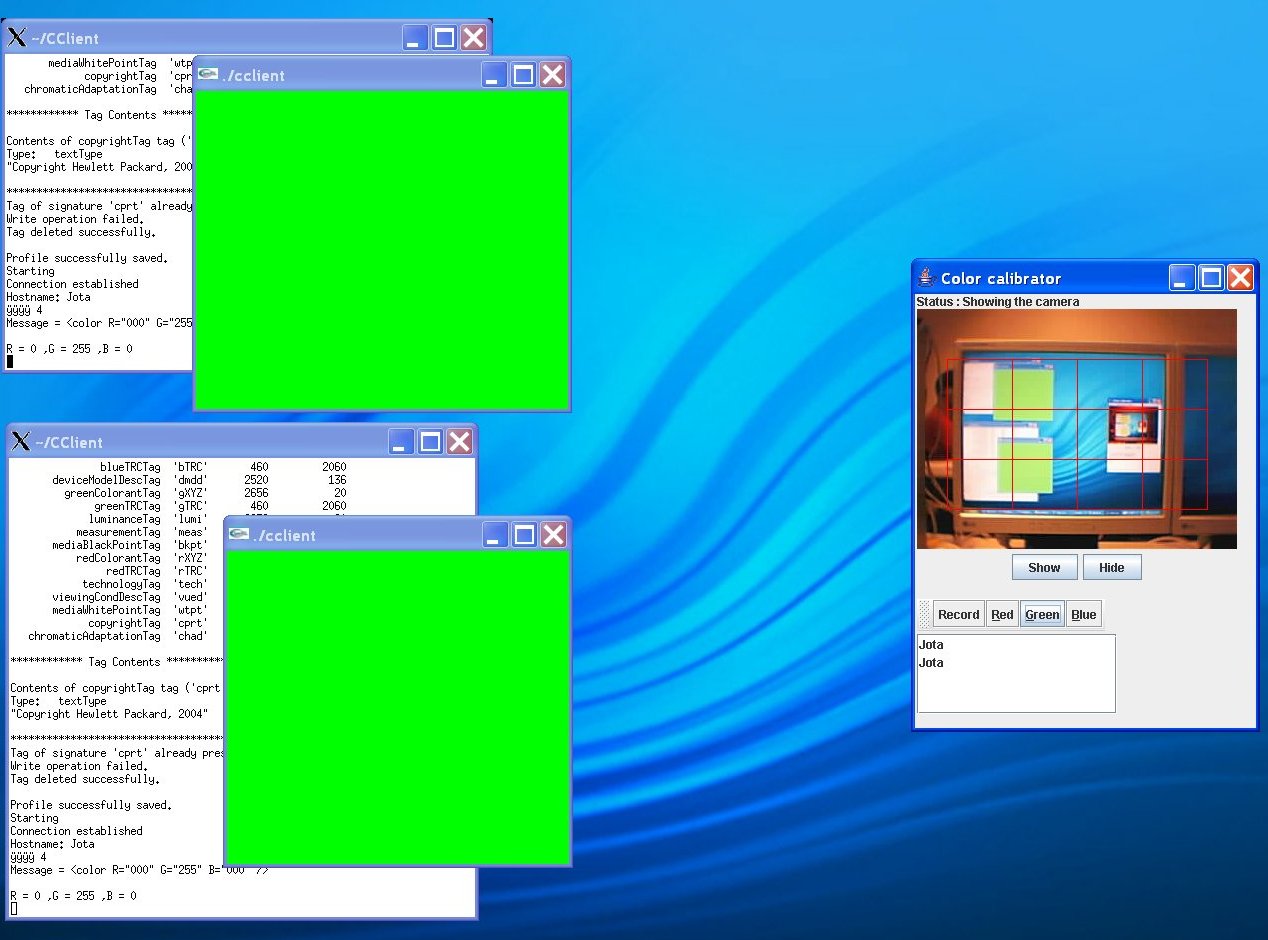
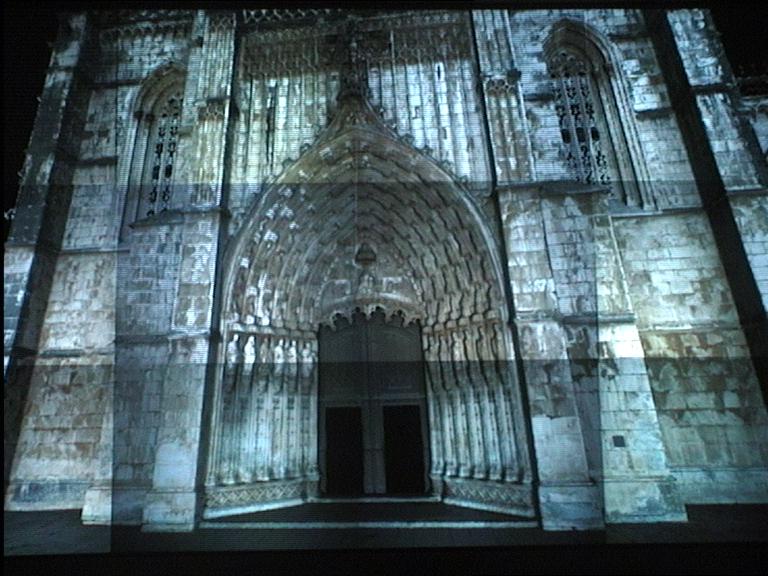
This is a real application in the power wall.
|
|
|
|
System being used in a cluster application |
|
Code:
The code of the system
[JAVA] [C++]
Modifications in
SampleICC:
in file:
IccTagBasic.cpp
in
line 6346 put the "int j;" outside the loop, and change the
loop to "j=0"
add
in the beginning of the code: #define __min(X, Y) ((X) < (Y)
? (X) : (Y))
I created a
makefile to build the library for SampleIcc:
Makefile
Beside the main project, several other tasks were developed during the PostDoc:
Future Work:
As a future work we are going to use different quality cameras and
their parts, to discover camera influence in the calibration. Another
step is the to plug-in additional software components to use projector
controls in the calibration and then achieve better results in the
calibration. We also intend to increase overlap region among the
projection tiles and apply edge blending using a precise linear
blending system, not irregular one that needs automatic edge blending
algorithms, we can predict the color variation between two neighboring
projectors and work the corresponding attenuation functions in the
graphics card, thus enabling existing applications to use this resource
without changing any code.
References:
[1]
Maureen C. Stone. "Color and Brightness Appearance Issues in
Tiled Displays," IEEE Computer Graphics and Applications,
vol. 21, no. 5, pp. 58-66,
September/October, 2001. [PDF]
[2]
Aditi Majumder, Zhu He, Herman Towles, Greg Welch. "Achieving
Color Uniformity Across Multi-Projector Displays," vis,
p. 17, 11th IEEE Visualization 2000 (VIS'00), 2000.
[PDF]
[3]
"Specification ICC.1:2004-10 (Profile version 4.2.0.0) Image
technology colour management — Architecture, profile format,
and data structure”, ICC, 2004. [PDF]
[4]
Mark Hereld, Ivan R. Judson, Joseph Paris, and Rick L. Stevens.
"Developing Tiled Projection Display Systems," Proceedings
of Fourth Immersive Projection Technology Workshop, 2000. [PDF]
[5]
Michael Brown, Aditi Majumder, Ruigang Yang. "Camera-Based
Calibration Techniques for Seamless Multiprojector Displays,"
IEEE Transactions on Visualization and Computer Graphics, vol.
11,
no. 2, pp. 193-206, March/April, 2005. [PDF]
*
not yet implemented