 |
 |
 |
 |
 |
 |
 |
 |
 |
| Wavy Hair Tutorial |
 |
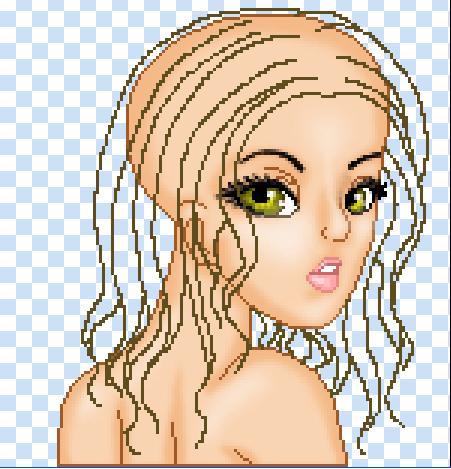 |
| Step One- Draw a rough outline of the hair, it dosen't have to be perfect, just a rough vision of what you are thinking of.... (Click the Pic to enlarge it) |
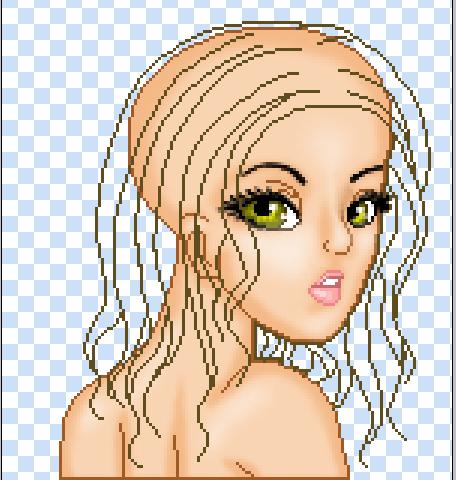 |
| Step Two- Clean up the out line that you just made, belive me, it makes a difference. Also outline the head if there are any parts that when you flood fill it, it won't go outside of the hair.... (Click the Pic to enlarge it) |
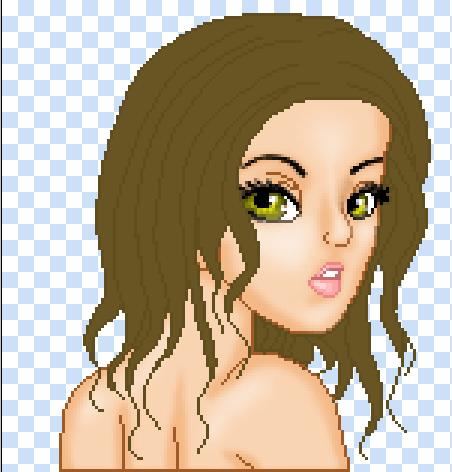 |
| Step Three- Flood fill the inside of the hair with a color a little bit lighter than the outline,not too light, but light enough you can tell the difference between the two. (Click the Pic to enlarge it) |
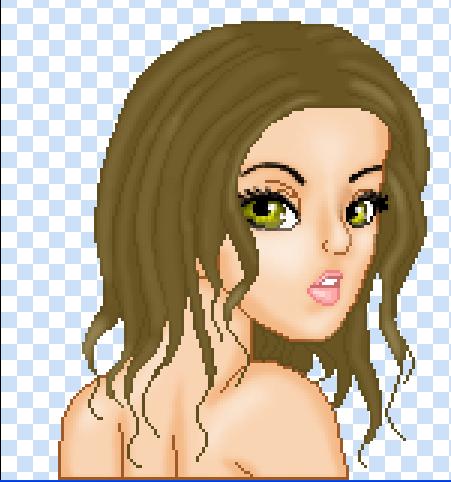 |
| Step Four- Next, add highlights with the dodge tool(at about 8-15 Exposure and make long strokes on the inside of the outline, try not to get on the outline too much, but it's alright if you do a bit on some parts. (Click the Pic to enlarge it) |
| I use Adobe Photoshop to make my dolls, but if you use use Paint Shop Pro, I'm sure the adjustments can be made by yourself.... Have Fun!(Base for tut by Dhaling) |
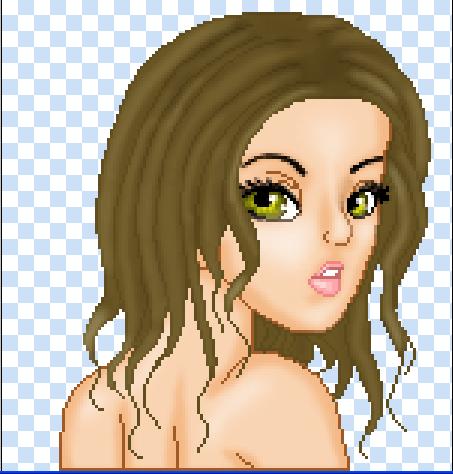 |
| Step Five- Add more highlights, again, try not to get on the outline, but it's alright if you do.... Really highlight the parts that face towards the light. (Click the Pic to enlarge it) |
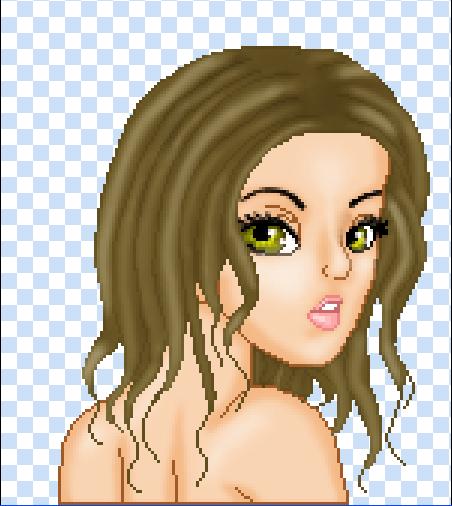 |
| Step Six- Now, REALLLY add highlights (Exposure at about 10-17) to certain clups/strands, make a few of em stand out. Go over those certain strands a couple times. (Click the Pic to enlarge it) |
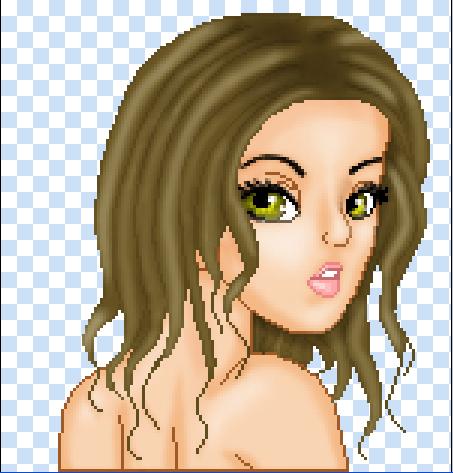 |
| Step Seven- Yes, finally, now you can add the shadows. pick up your burn tool(Exposure at about 10-18) and dodge on the parts where two highlights meet, or are close to meeting...also under the and around the chin and neck, and also on the part. (Click the Pic to enlarge it) |
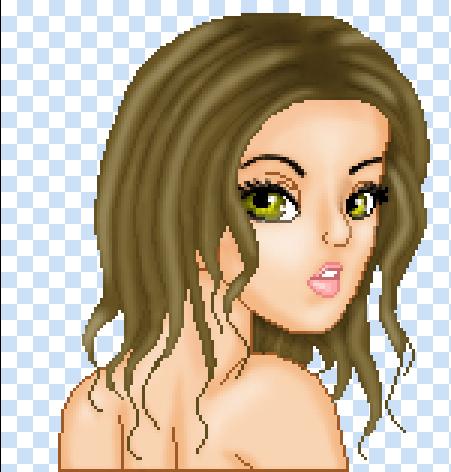 |
| Step Eight- Hahaha, and you thougt that you were finished with the highlights,...Nope. Go back over the highlighted areas again(exposure about 1-18) with the dodge tool. And then add sone shadows to the base, very lightly. (Click the Pic to enlarge it) |