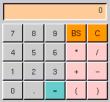
The talking calculator will allow students to focus on the goals of the lesson by providing them with the answer to the computation part of their problems. The data to speech function will allow students with dycalculia or dyslexia the security of knowing that they have input the numbers in the correct order and chosen the correct symbol to match the function they intended.
Real abacus/online abacus
These tools will serve the same purpose as the calculator: allowing students to complete their computations easily and safely. Additionally, these tools will give comfort to students who prefer to actually touch the number of objects that are being manipulated in their story problem. By providing this option some students are more likely affectively to stay engaged.
The class store stock
These hands on tools will ground the mathematics of story problems in real life (a strategy many teachers of dyscalculic students recommend). As students manipulate the items to act our their story problems they will create models upon which they can base their number sentences.
Storyboard
The Storyboard can be used to provide scaffolding and support for students as they try to solve story problems independently. A sample of the screen is shown to the left.
1: Students can click here to move on to a new problem, or select a different one if they feel stuck. Choice helps students stay affectively engaged.
2. Students can click here to have the problem read out loud. This offers students a second representation by which to interpret the info/question.
3. The StoryBox is where the text of the story problem appears. When set at more advanced levels difficulty increases or students can enter their own story and try and solve it.
4. This talking calculator lets students experiment with different outcomes.
5. The drawing board is where tudents click and drag drawing tools (7.) to make a visual representation of the problem. Making the picture that stands for the actions in the story creates a model from which students can create their number sentence.
6. Students enter a number sentence and the computer calculates the answer. The program provides feedback. If the answer is incorrect it makes suggestions (written and spoken) as to what variables the student might re-examine and what questions he might ask himself. If the student is unable to give the number sentence correctly a second time, the computer offers three multiple choice options (on screen and outloud). When the students chooses one the computer either explains why it makes sense (if it's right) or why it doesn't (if it's wrong).