
Going back to 01:08:043 you will see where this mistake first came on the screen. Hit F7 to go back one time frame and fix this mistake. You will notice one dot isnt filled in that should have been when you hit F2 to fix it. Save your work and on we going hitting F8 to proceed.
At 01:13:967 in the time frame colomn you will see 3 dots show up that don't belong. Hit F7 to go back one time frame and then hit F2 to go to edit screen to fix it. You will notice you have to remove 2 dots and add 1 to fix this. Watch your Tile Preview screen as you fix them to make sure you are doing the right thing. Don't panic if you mess something up, if in your Tile Preview screen something looks very messed up, just cancel and start again. If its too late to cancel, load the CDG from your last saved spot and start again.
So on we go again, hitting F8 to proceed. At 01:30:123 dots again appear. Hit F7 to go back and then F2 to go to edit and fix this. On we go hitting F8. At 01:30:53 you will notice the letter E looks funny, comparing it to others on the screen you will see there an extra few dots are on the bottom of the middle row. Lets back up with F7 and fix this. It first comes on the screen at 01:30:527, so lets back up a step with F7 and hit F2 to go to edit screen. By removing the 3 dots that dont belong on the middle part of the E we have fixed it. On we go again hitting F8. At 01.30.680 a dot is there that doesnt belong. F7 to go back one step, F2 to fix it. F8 to carry on again after its fixed.
At 01:50:127 again dots appear that should be gone. Hit F7 to go back, F2 to edit and fix it. You will see 2 dots need to be filled in on the letter T in this case. F8 to carry on. At 01:52:53 you will notice a dot missing on the letter M. Hit F7 to back up one step before it appears. In this case you should be at 01:52:520 in the Time Colomn. Hit F2 go to edit and fix this.
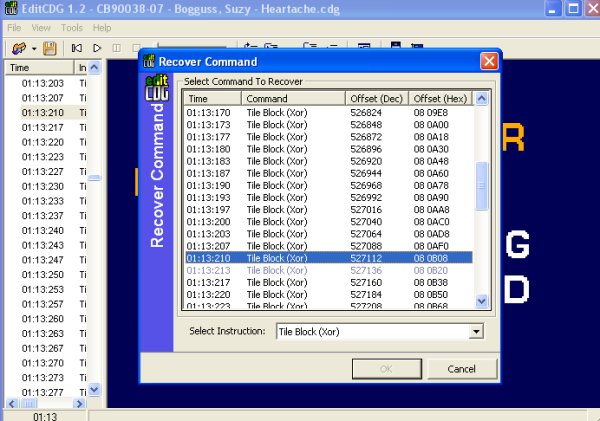
At 02:07:090 you will notice that part of the letter E did not dissappear. Lets go have a look and see why. If you go slowly you will notice there is a time frame where nothing happens. Look in your Instructions Column, you will see Unknown Command at 02:07:083. We have to fix this. Go back with F7 until 02:07:083 is highlighted as the time frame you are in. Go to Tools at the top of the Edit CDG program and then go to Change Command. Click the circle in the bottom command to make this tile a Tile Block (Xor) like the rest of them. Hit Ok and have a look what happened when you did this with F8 to go forward. It's all fixed now, lets carry on hitting F8 until we find the next mistake.
At 02:23:750 you will notice lines under the letter O that dont belong. F7 to go back one time frame, F2 to go to edit to fix it. F8 to carry on. At 02:56:057 you will notice again dots appear that dont belong. F7 to go back, F2 to go to edit to fix them. Carrying on with F8 you will notice at 02:57:063 that part of the N comes on in the wrong colour. F7 to go back, F2 to edit to fix this. You will find the On Colour under Edit Tile Colours is wrong. Scroll thru them and find the correct yellow colour, hit ok and on we go hitting F8.


