

LESSON 1
Blending Pictures
All our lessons are using Paint Shop Pro 7
(Trial available from www.jasc.com)
You will need background picture( this is to blend
your other picture on to)

300 x 229
and picture of what u want to blend
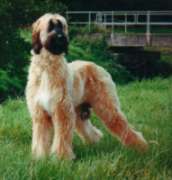
172 x 180
Step1
Open your background pic in psp,
Go to layers (top drop down options)- add new raster layer - ok.
Step 2
Now we are going to remove the part of your pic that you want to use to blend into the background
Open your picture, making sure it fits onto the
background, if not resize it
Heres how to resize if you don't know how
Now select the freehand tool (from the tool palette on the left) - then on
the tool options window - set these to
point to point-feather 0 - Antialias checked.
Draw round your picture (move around the edge of the object you wish to blend)
this doesn't have to be exact, then right click, (you should
have marching ants around it)
Now go to selection (top drop down options) - modify - feather 15 - ok.
now copy (you can use CTRL + C )
Step 3
Now move back to your background pic and click edit - paste - paste as new layer onto your background (you can
use CTRL+ E to do this)
your picture should now be on your background, position
it to where you want,
now go to layers (top drop down options) - properties -blendmode- hardlight,
opacity 100 - ok.
you now have finished
you can play and adjust all setting, these were done
with this background and picture in mind,
to add more than one picture to background, just repeat
step 2 and 3
At any stage you can use CTRL + Z to undo a mistake
Here you go the finished pic !!
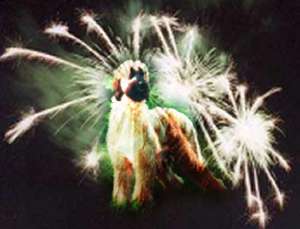
To save your image go to top menu - file - export - jpeg optimiser (I usually have set compression value to about 40 as this makes the pic faster loading if you were to put on a webpage) If the pic quality does not look too good reduce this a bit. Try different values see how it affects your pic. The knack is to make it as small a file size as possible without losing the quality.
Click OK - name your pic and save it in the folder of your choice
Please send in your completed work for the Gallery page we would love to see them:-)
PSP Lessons
Index
Part of New Beginning for Graphics
Galore Forum
